> For the complete documentation index, see [llms.txt](https://docs.ag5.com/llms.txt). Markdown versions of documentation pages are available by appending `.md` to page URLs; this page is available as [Markdown](https://docs.ag5.com/release-notes/2022-updates/march-release-2022.md).
# March Release, 2022
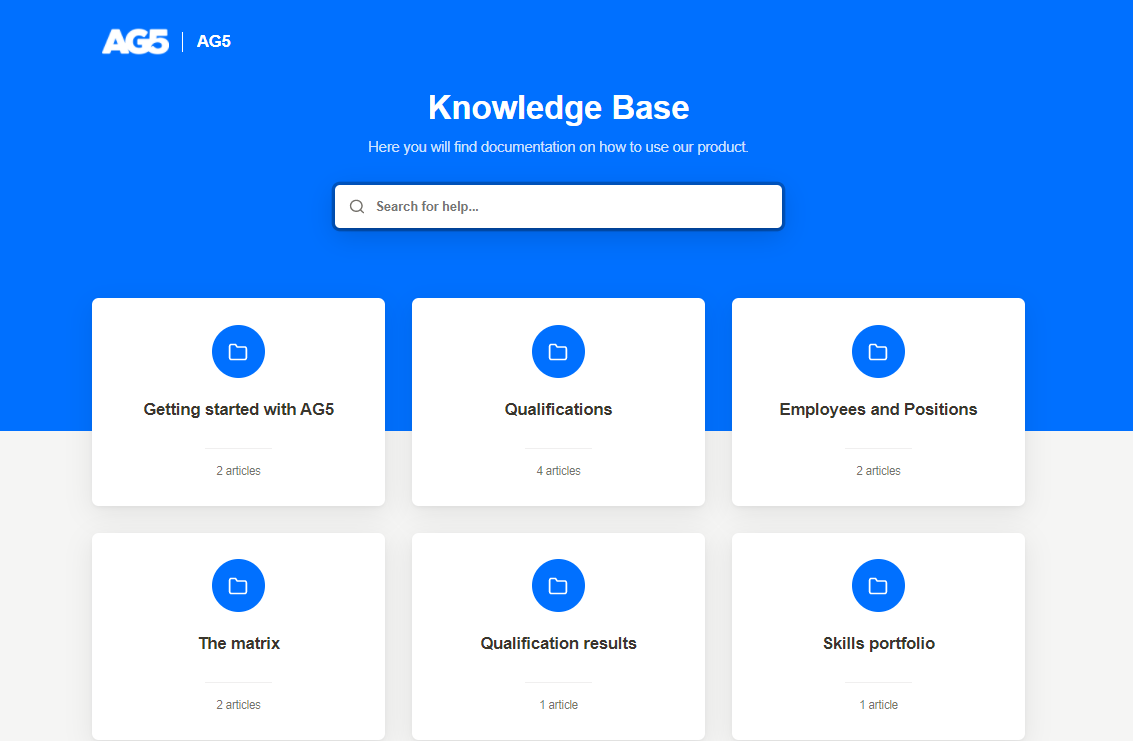
| 1. New online help tool - we are introducing a new, better-structured help article tool with better search capability
2. The keyboard auto-focus on the first field of the page - when you go to the employee list, the search field is auto-focused. The same applies to other pages as well - expert finder, qualifications, qualification results and etc.
3. Three new languages: Portuguese, Swedish and Spanish
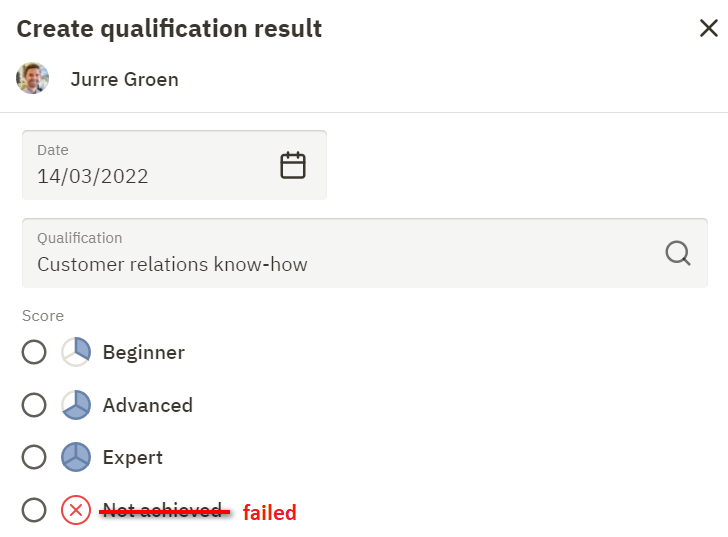
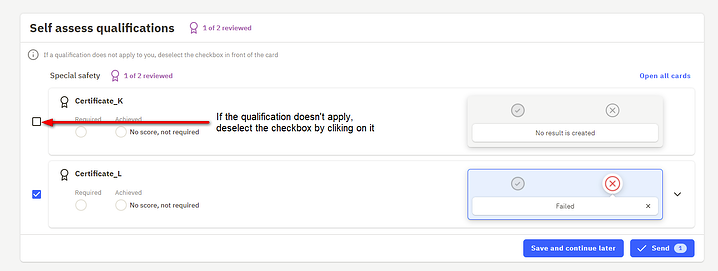
4. Label change: Not achieved > Failed - We have encountered that some users, while doing self assessments, select the score 'not achieved' when they did not acquire the qualification (never trained / never tested). However, if this is the case the user should uncheck the qualification (checkbox in front of the card).
AG5 system interprets the score 'Not achieved' as: 'the employee is assessed but failed the test/exam'. This is a big difference with never being tested/trained for this qualification!
For this reason, we renamed the score "not achieved" into "failed", so it better reflects what we mean by it.
|
| ------------------------------------------------------------------------------------------------------------------------------------------------------------------------------------------------------------------------------------------------------------------------------------------------------------------------------------------------------------------------------------------------------------------------------------------------------------------------------------------------------------------------------------------------------------------------------------------------------------------------------------------------------------------------------------------------------------------------------------------------------------------------------------------------------------------------------------------------------------------------------------------------------------------------------------------------------------------------------------------------------------------------------------------------------------------------------------------------------------------------------------------------------------------------------------------------------------------------------------------------------------------------------------------------------------------------------------------------------------------------------------------------------------------------------------------------------------------------------------------------------------------------------------------------------------------------------------------------------------------------------------------------------------------------------------------------------------------------------------------------------------------------------------------------------------------------------------------------------------------------------------------------------------------------------- |
---
# Agent Instructions
This documentation is published with GitBook. GitBook is the documentation platform designed so that both humans and AI agents can read, navigate, and reason over technical content effectively. Learn more at gitbook.com.
## Querying This Documentation
If you need additional information that is not directly available in this page, you can query the documentation dynamically by asking a question.
Perform an HTTP GET request on the current page URL with the `ask` query parameter, and the optional `goal` query parameter:
```
GET https://docs.ag5.com/release-notes/2022-updates/march-release-2022.md?ask=&goal=
```
`ask` is the immediate question: it should be specific, self-contained, and written in natural language.
`goal` is optional and describes the broader end goal you are ultimately trying to accomplish on behalf of the user. GitBook uses it to tailor the answer towards what is most useful for that goal.
The response will contain a direct answer to the question and relevant excerpts and sources from the documentation.
Use this mechanism when the answer is not explicitly present in the current page, you need clarification or additional context, or you want to retrieve related documentation sections.