Loading...
Loading...
Loading...
Loading...
Loading...
Loading...
Loading...
Loading...
Loading...
Loading...
Loading...
Loading...
Loading...
Loading...
Loading...
Loading...
Loading...
Loading...
Loading...
Loading...
Loading...
Loading...
Loading...
Loading...
Loading...
Loading...
Loading...
Loading...
Loading...
Loading...
Loading...
Loading...
Loading...
Loading...
Loading...
Loading...
Loading...
Loading...
Loading...
Loading...
Loading...
Loading...
Loading...
Loading...
Loading...
The following updates have been implemented in AG5 Skills mobile app:
Now you can add and display e-signatures from employees, managers, trainers, or anyone else involved in the assessment process.
Before signing, users are now required to check a declaration checkbox confirming their acknowledgment. This declaration, along with the signer’s details, is included in the generated e-signature file for added clarity and compliance.
When viewing an employee’s portfolio - or your own - skill attachments are now visible and available for download under each skill’s accordion section — giving you quick access to relevant documents directly within the app.
We’ve strengthened the existing warnings to make it even clearer when a result’s prerequisites haven’t been met, helping you take the right actions at the right time.
The following updates have been implemented in AG5 Skills mobile app:
Easily find employees and access their up-to-date portfolios to verify their skills quickly and streamline the result submission process, saving time and effort.
Now you can add results directly from the employee skill details page for greater flexibility. Simply go to the employee's profile, select a skill, and click the "Add result" button.This update makes skill tracking faster, more intuitive, and reduces steps to improve efficiency.
The following updates have been implemented in AG5’s skills management software.
We’ve combined the Skills List and Library into a streamlined interface, so you can manage and organize your skills in one place.
All skill libraries have been merged into a single, unified tree structure


Use the toggle at the top of the Skills page to switch between list and library views
Easily drag and drop categories within the library – or move them directly to the root level
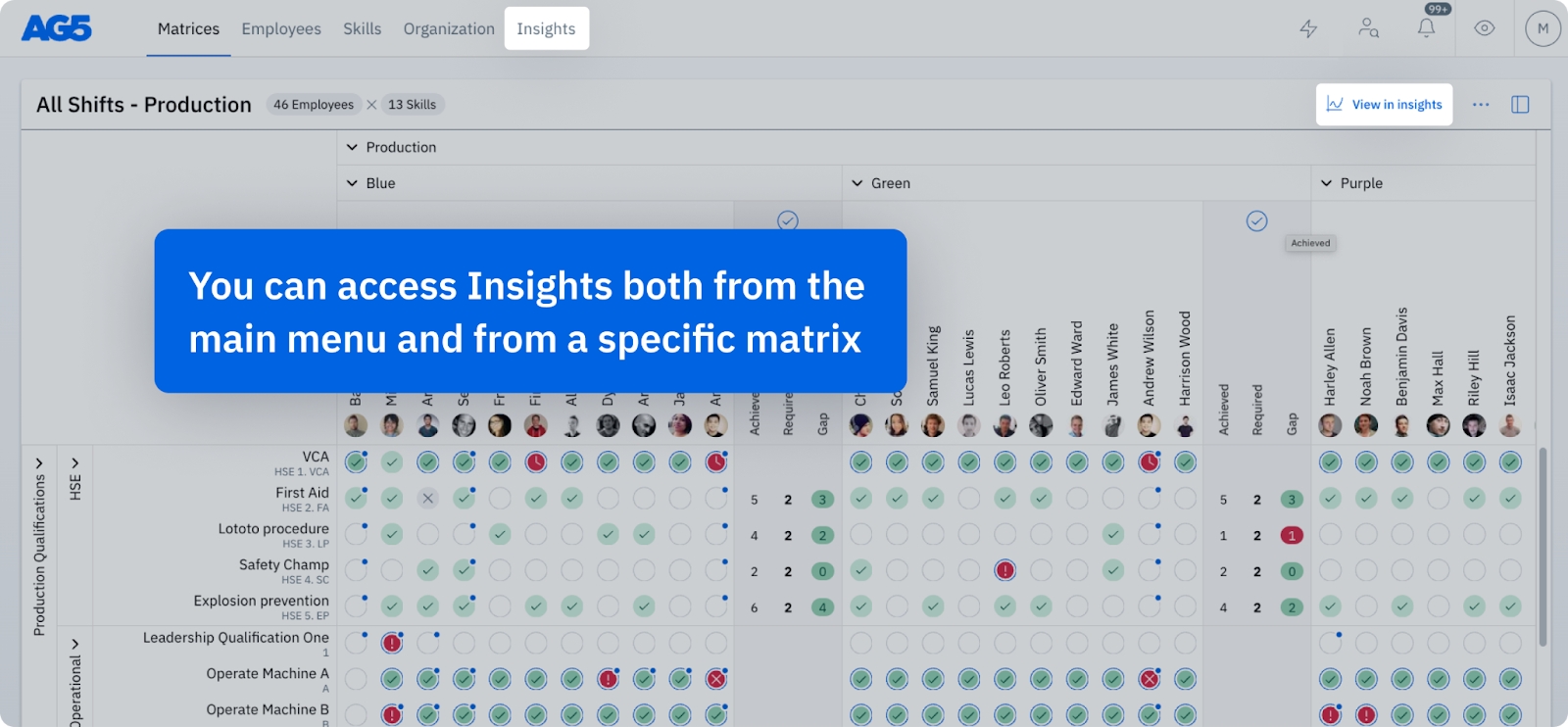
Navigating from insight to action just got easier! All entity names in the Insights Dashboard are now clickable! Click on any employee or skill name in a chart to jump directly to its detail page, so you can take immediate action on the insights you discover.
We’ve improved the way missing prerequisite skills are shown. Missing prerequisites now appear at the top in every view, making it easier to identify what’s blocking skill completion.
The following updates have been implemented in AG5’s skills management software.
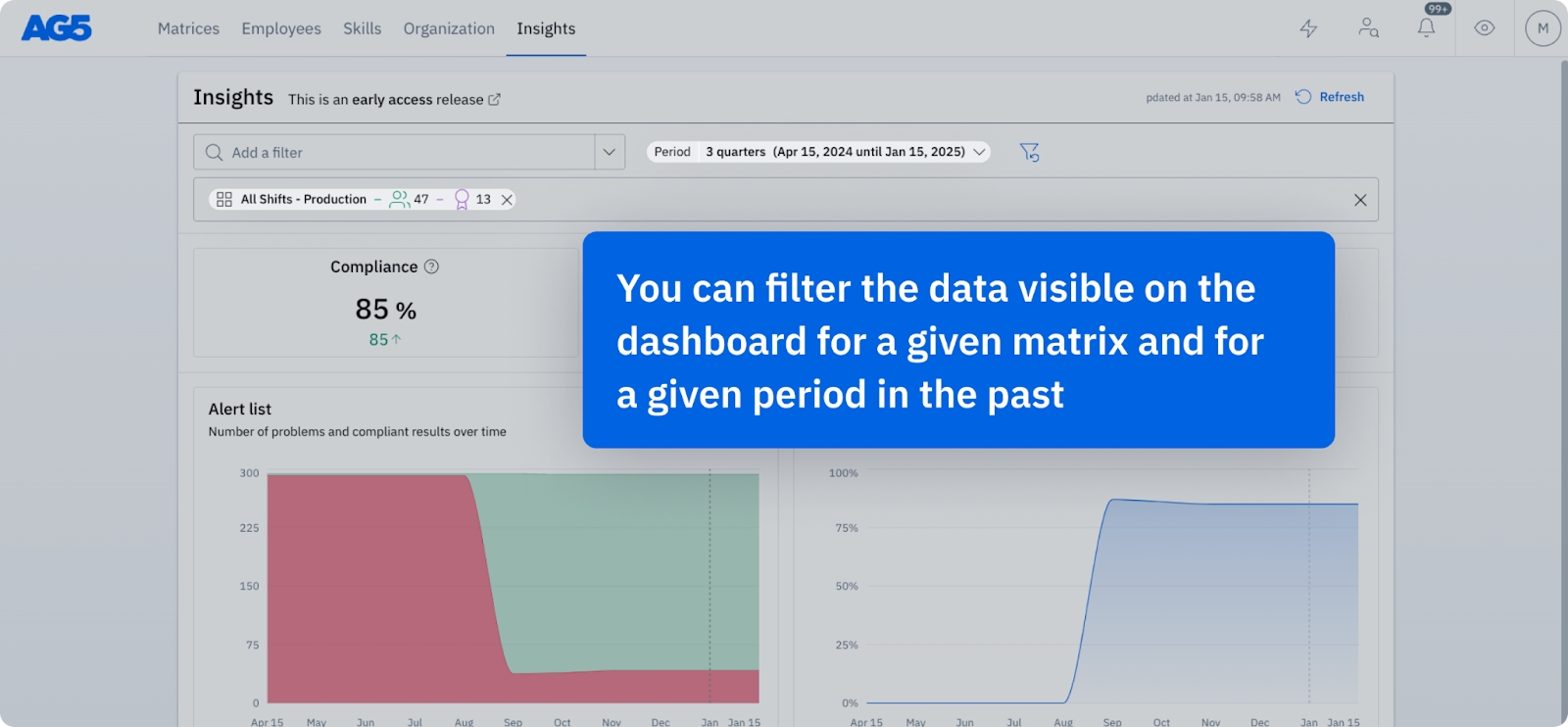
We’re thrilled to announce the release of the Insights Dashboard, now available for Admins, Super Users, and Team Managers! This powerful tool provides valuable insights into your team’s data, focusing on compliance aspects and helping you better manage skills, identify gaps, and make data-driven decisions.
To help you get started, we’ve prepared these resources:
– Learn more about the Insights Dashboard
– A detailed guide to how the numbers and calculations work
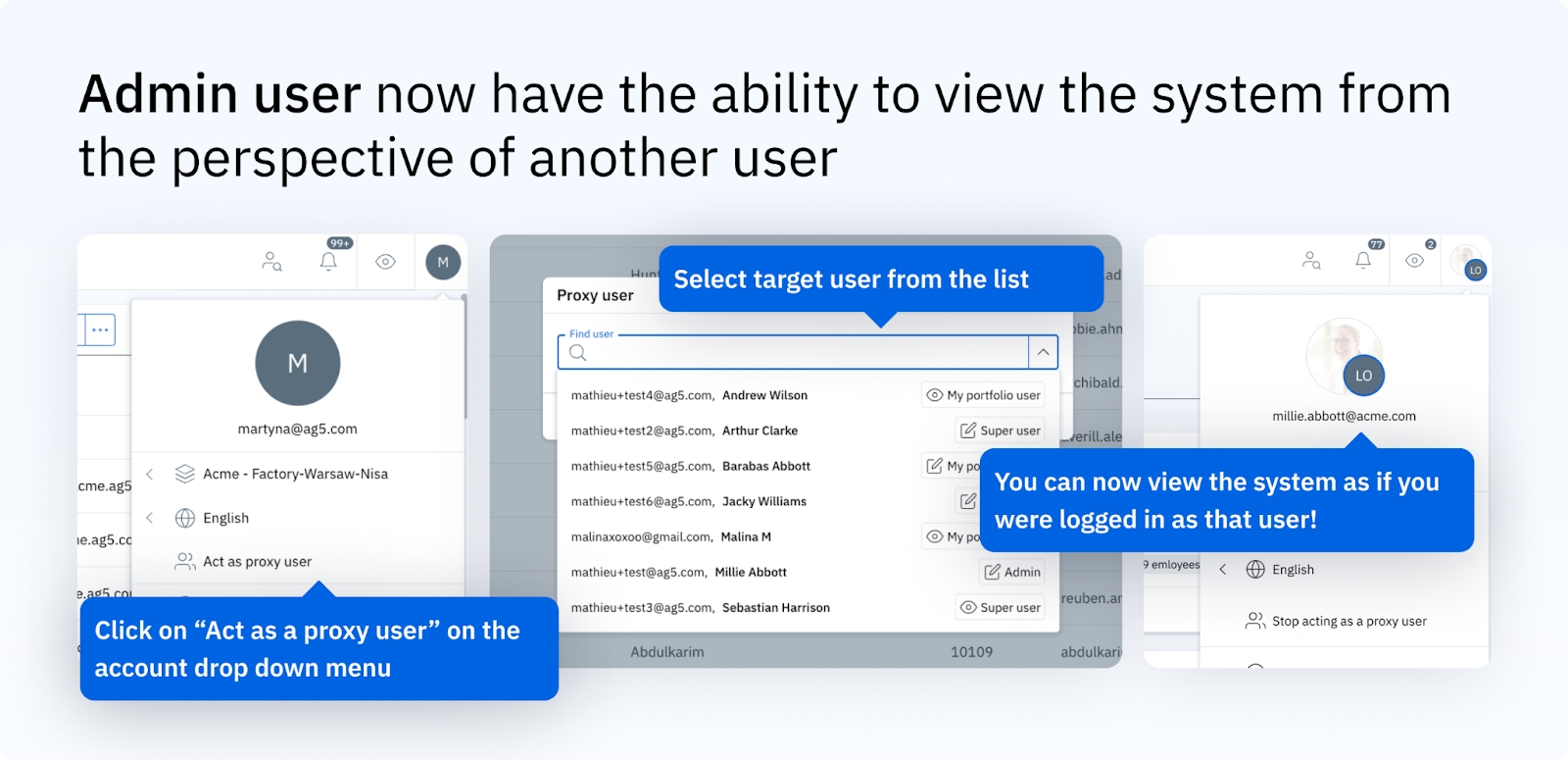
The is now available for all Admins. This allows you to access AG5 as another user to troubleshoot or assist with their account. It’s a great way to provide hands-on support!
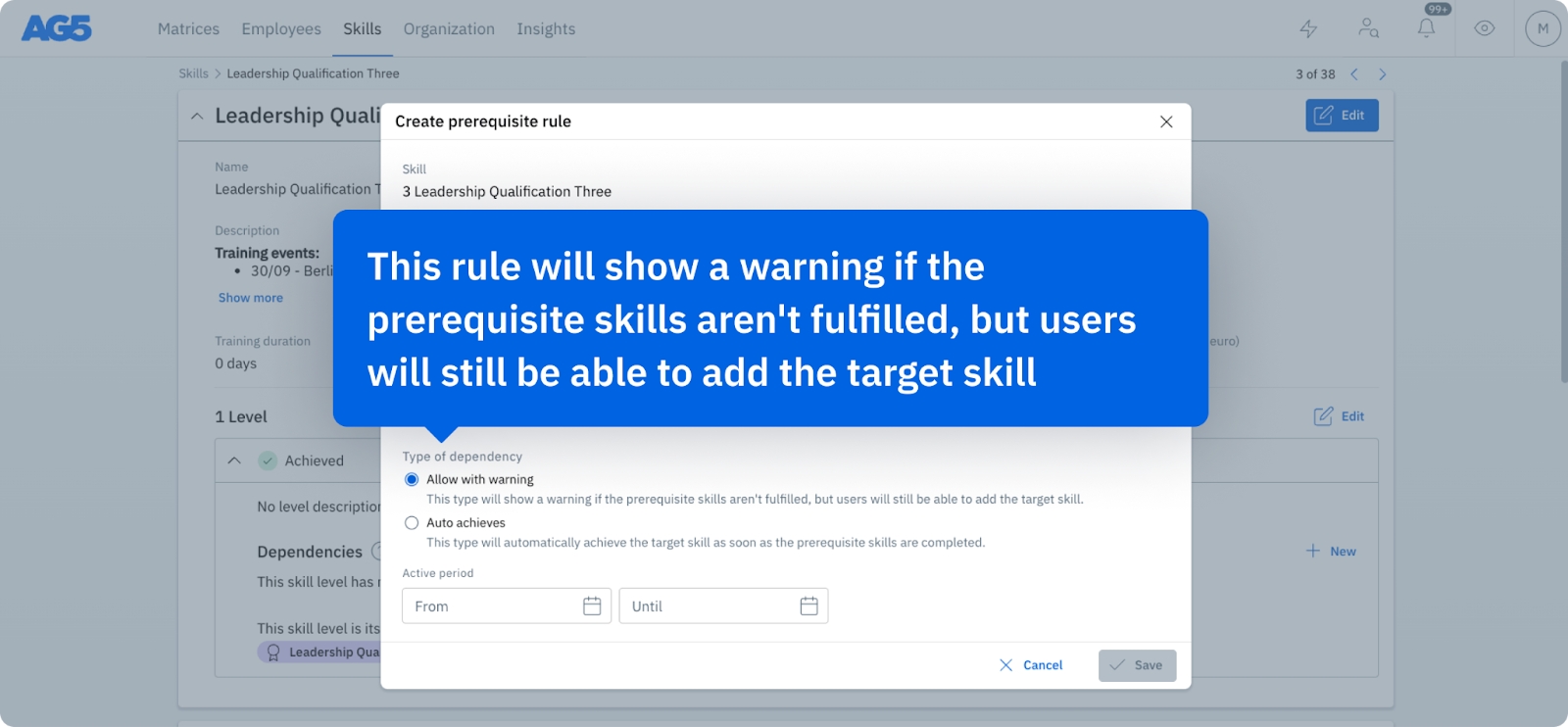
To improve clarity, we’ve updated the name of one of the prerequisite rules:
The “Allow” rule is now called “Allow with Warning”, better describing how it functions in practice. The rule will show a warning if prerequisite skills are not fulfilled, but users will still be able to add a target skill.
This change ensures better understanding and alignment when managing prerequisites.
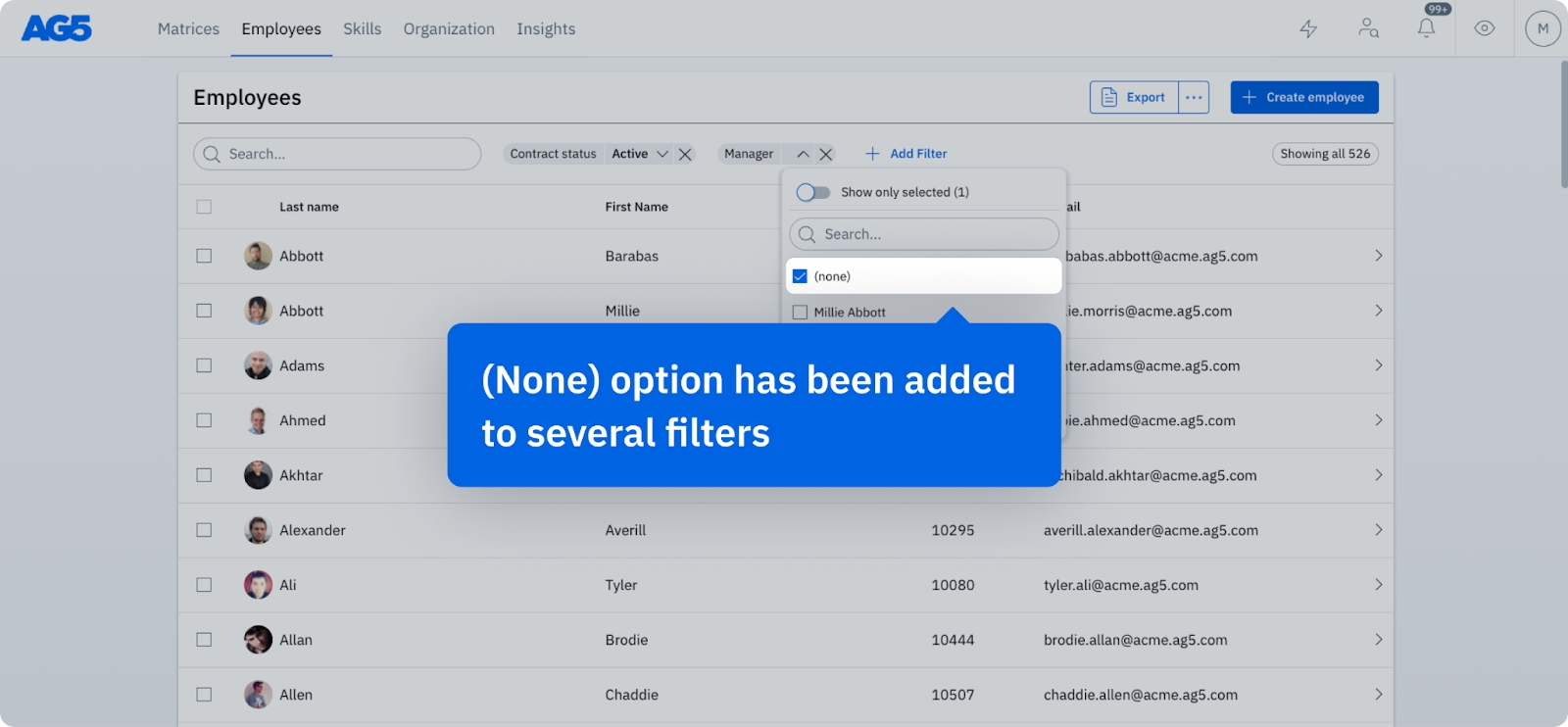
We’ve added a “None” filter to help you quickly find:
Skills without a category or type
Employees without managers, job roles or teams
And other similar gaps in your data.
This enhancement simplifies the process of identifying and addressing missing information with minimal effort.
Admins can now delete user accounts in batches, simplifying account management and saving time when handling inactive or outdated accounts.


08-12-2025 19:00 - 20:00 CET
11-12-2025 19:00 - 20:00 CET
09-12-2025 09:00 - 10:00 CET
12-12-2025 09:00 - 10:00 CET
The release has been pushed back to the 11th (CET) and 12th (non-CET). Our apologies for the delay.
The following updates have been implemented in AG5’s skills management software.
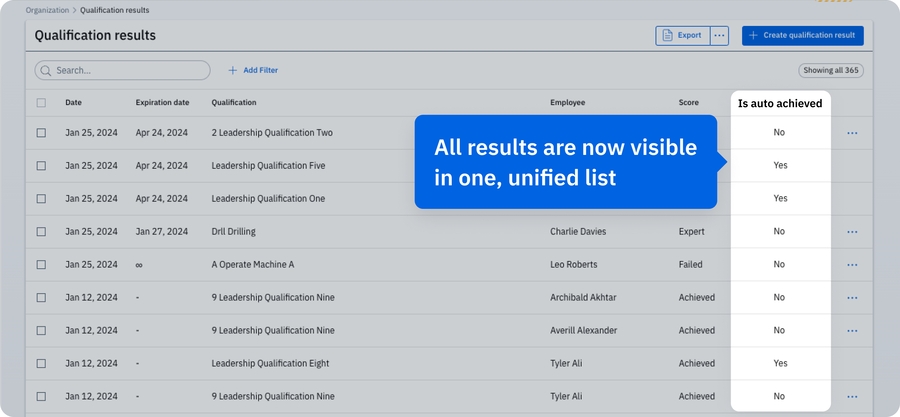
We've merged the “Qualification Results” and “Qualification Results (Auto Achieved)” lists. All qualification results are now conveniently available in a centralized location, streamlining their tracking and management. Additionally, a new filter allows you to easily distinguish manually achieved and auto-achieved results within the unified list.
Please note that Auto Achieved Qualification Results are only applicable to AG5 users that use Prerequisites Rules.
15-09-2025 19:00 - 20:00 CET
16-09-2025 09:00 - 10:00 CET
13-10-2025 19:00 - 20:00 CET
14-10-2025 09:00 - 10:00 CET
12-01-2026 19:00 - 20:00 CET
13-01-2026 09:00 - 10:00 CET
Planned
20-01-2025
27-01-2025 19:00 - 20:00 CET
20-01-2025
27-01-2025 19:00 - 20:00 CET
31-03-2025 19:00 - 20:00 CET
31-03-2025 09:00 - 10:00 CET
02-04-2025 09:00 - 10:00 CET
28-04-2025 19:00 - 20:00 CET
29-04-2025 09:00 - 10:00 CET
26-05-2025 19:00 - 20:00 CET
02-06-2025 19:00 - 20:00 CET
27-05-2025 09:00 - 10:00 CET
03-06-2025 09:00 - 10:00 CET
23-06-2025 19:00 - 20:00 CET
30-06-2025 19:00 - 20:00 CET
01-07-2025 19:00 - 20:00 CET
24-06-2025 09:00 - 10:00 CET
01-07-2025 09:00 - 10:00 CET
02-07-2025 09:00 - 10:00 CET
04-08-2025 19:00 - 20:00 CET
05-08-2025 09:00 - 10:00 CET

19 September release is focused on back-end updates and improvements, those are not visual changes for the end users!
As usual, we will start around 19:00 CET. During this process, our application may be a bit slow or offline for a short time, thank you for your patience.
The following updates have been implemented in AG5’s skills management software.
We’ve expanded the Insights Dashboard with four new charts, helping you gain deeper insights into your data:
Compliant result per Skill and Employee. Quickly assess and compare compliant results for each skill and individual employee
Identify and address potential skill gaps more effectively
These enhancements make it easier to monitor skill compliance and problem areas at a glance. Please note that users will only see the skills or employees to which they already have access.
For example, if someone manages two teams, they will only see data for those two teams when no filters are applied. If they wish to view data for a specific team, they can use the matrix filter to narrow the results.
Managing skill information is now simpler! We’ve made important updates to the Skill Detail page. The Training Duration and Training Cost fields are now standard in all skill definitions.
Data from the original custom fields specifically related to Training Duration and Training Cost (if previously in use) has been transferred to these new standard fields. As a result, those original custom fields will no longer be visible. However, for a limited time, they will still be available in the Skills export for reference. If anything seems incorrect or missing, please reach out to our support team.
Additionally, we’ve added a skill category field to both the Skill Detail page and when creating or editing a new skill. This will offer you more visibility, flexibility, and control over skill categorization.
To prevent errors and ensure better compliance, we’ve reinforced warnings when prerequisites are unfulfilled. This update makes it clearer when required skills are missing before progressing.
We’ve refreshed the Grouping page (used to manage job roles, teams, departments, or any other setup your company has) with a new look for more consistency and improved usability. This update enhances navigation and provides a more seamless experience on the AG5 platform.
You no longer need to download attachments to view them! You can now can open an attachment directly in your web browser by simply clicking it. This makes accessing important documents faster and more convenient.
The following updates have been implemented in AG5’s skills management software.
We’ve added pagination to all major lists in AG5—making it easier than ever to browse, manage, and act on your data.
Why it’s great:
Easier navigation through large datasets
Improved performance and page load times
More control over batch actions, making it easy to select and manage 100+ items across pages in one go.
We’ve added a Group by feature to the Employee → Skill results list, giving you new ways to organize and analyze your data.
Group results by:
Skill types – Easily compare compliance between soft skills, technical skills, and more
Skill categories – Understand how employees are performing across skill groups
Requirement – Get a clear overview per location, team, or department
Status – Instantly see which skills are missing, expiring, or compliant
This feature helps you spot issues faster, tailor your actions, and make smarter decisions—without needing to export or filter endlessly.
30-09-2024
01-10-2024
19:00 - 20:00 CET
01-10-2024
02-10-2024
09:00 - 10:00 CET
02-09-2024 19:00 - 20:00 CET
03-09-2024 09:00 - 10:00 CET
12-08-2024 19:00 - 20:00 CET
13-08-2024 09:00 - 10:00 CET
22-07-2024
30-07-2024
19:00 - 20:00 CET
23-07-2024
31-07-2024
09:00 - 10:00 CET
01-07-2024 19:00 - 20:00 CET
02-07-2024 09:00 - 10:00 CET
10-06-2024
17-06-2024
19:00 - 20:00 CET
11-06-2024
18-06-2024
09:00 - 10:00 CET
21-05-2024 19:00 - 20:00 CET
The following updates have been implemented in AG5’s skills management software.
Keep your most important matrix cards at your fingertips. You can now pin key matrices and access them directly in the new Pinned tab, so your most important items are always within reach.
We’ve introduced a new user account setting as part of a Custom user role: “Portfolios you manage.” When this setting is enabled, the user automatically gains access to the portfolios of all employees for whom the user is assigned as manager. This gives managers direct and easy access to their team’s portfolios.
You can read more about this setting in our
Note: During the release process, users who are already managers and have access to their people will be transferred from a My Portfolio role to a Custom user role with this new setting turned on.
You can now easily reorder columns in all overview tables by dragging and dropping them. This feature helps you customize the table layout to fit your preferences.
If your organization uses master data approvals, the prerequisites page now shows a visual approval flow. This provides an overview of the approval process, helping you quickly identify what is pending while keeping the overall workflow clear.
Super users can now see the system’s overall history, making it easier to track changes and maintain full visibility.
Adding skill exemptions is now more flexible. You can do so directly from the employee portfolio page, alert List, or skill pages – not just from the matrix.
The following updates have been implemented in AG5 Skills mobile app:
Stay organized and never miss a beat. Our new widget allows you to view and manage your upcoming plannings right from your home screen
Keep track of important results before they expire. This widget provides timely reminders, so you can take necessary actions promptly
We've made it possible for you to enrich your results by allowing the upload of files, photos, and videos directly within the app
We've fine-tuned the app for better performance and squashed some bugs to ensure a smoother user experience
The following updates have been implemented in AG5’s skills management software.
We’ve updated the way pending actions, such as plannings, self-assessment requests, and approvals, are displayed across AG5. Previously, every ongoing process was marked with the same blue dot icon.
Now, each action now has a distinct visual indicator. This small but impactful change makes it easier for users to instantly understand what’s happening.
From now on:
Plannings are marked with a blue dot
Open self-assessment requests are marked with a yellow diamond
Results waiting for approval are marked with a tan, upside-down triangle
Multiple actions are marked with a pink asterisk
You can now assign multiple training plans to a single employee in one action, giving you more flexibility in managing complex upskilling paths and parallel learning programs. This new option is available directly from the matrix or the employee page.
When assigning a skill result or exploring a skill in the matrix, AG5 now shows you a prerequisite completion ratio if not all prerequisites are met. This gives users clear context to avoid premature completions and helps maintain data accuracy and compliance.
You can now select multiple tags for a position without the dropdown closing each time. Previously, you had to reopen the menu after each tag, which was slow and frustrating. This UX update makes tagging faster and easier.
The following updates have been implemented in AG5’s skills management software.
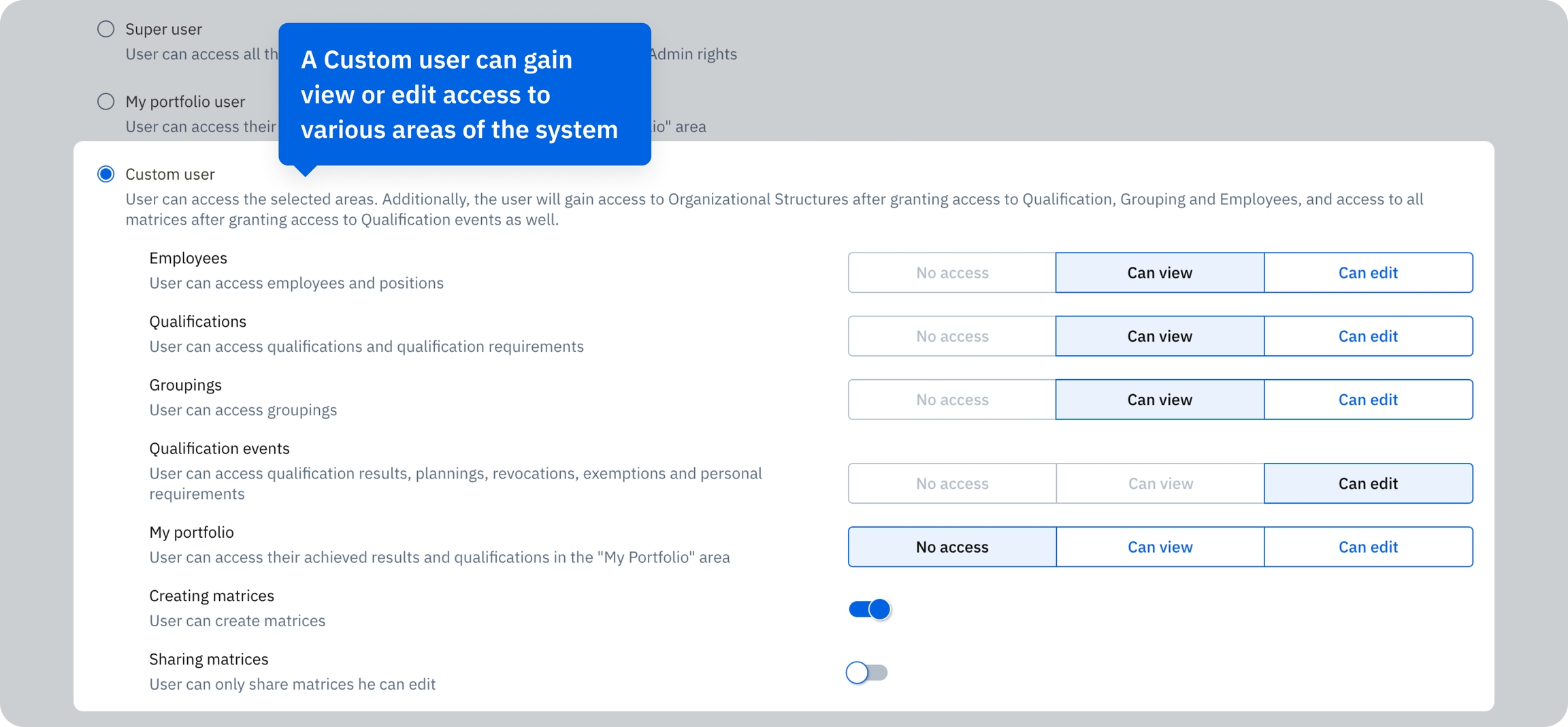
A new user role is now available: Custom user. This user is fully customizable, and is able to access View or Edit modes in certain areas of AG5, such as Qualifications, Groupings, Employees, Qualification Events, and My Portfolio. Custom Users are also able to create and share skills matrices.
When should you use a Custom user role? Read our Help article for a few examples: https://help.ag5.com/en/articles/17-examples-of-user-accounts
Super User roles will still be available, but you will no longer be able to grant them additional permissions. Instead, Super Users with additional permissions will be converted into Custom users, with permissions that correspond to the Super User’s previous permissions.
For more details, read our Help article:
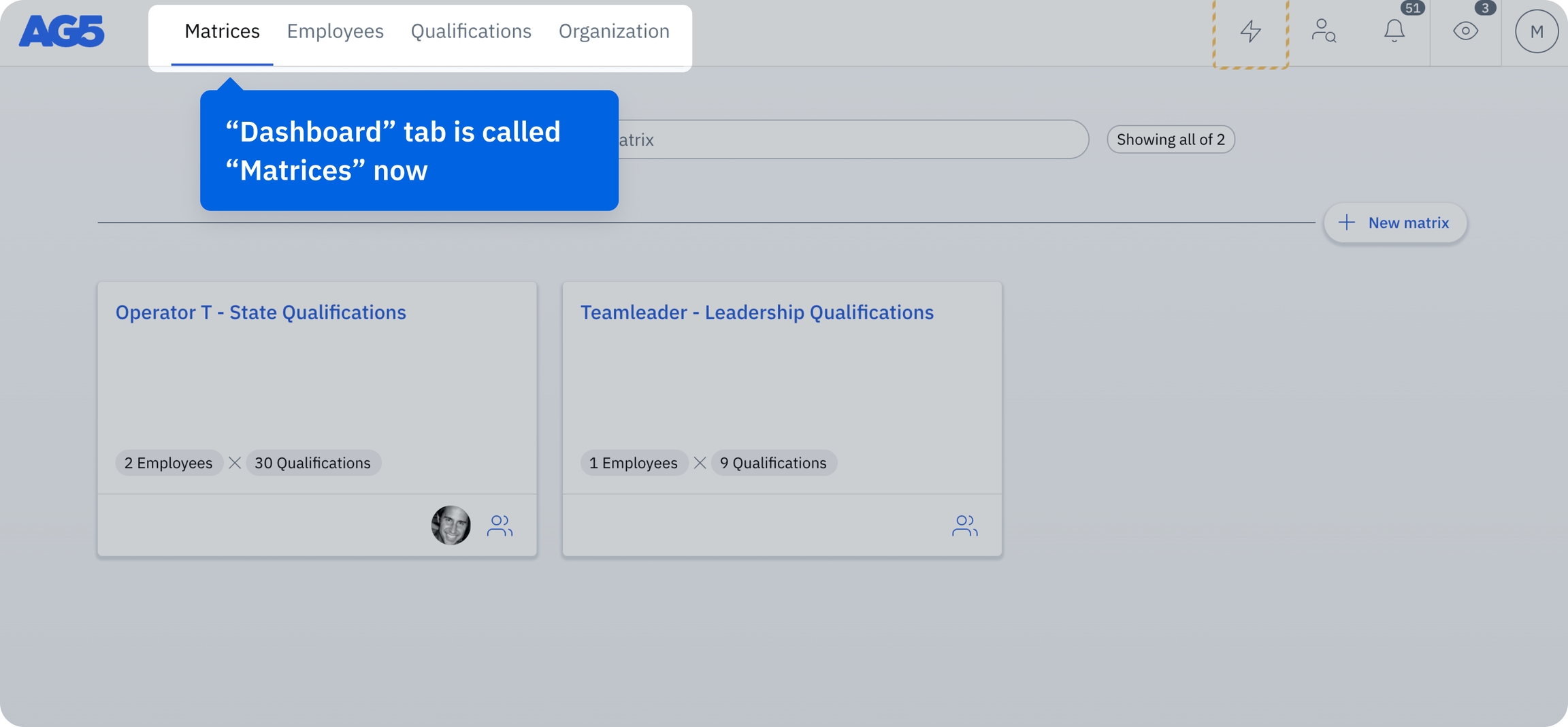
From now on, the "Dashboard" tab (the default tab that you see when you log in) will be called "Matrices". The new name will better reflect the content of this page.
The following updates have been implemented in AG5’s skills management software.
You can now manage skill versions directly in AG5. This feature allows you to control exactly when changes take effect and automatically mark results as expired when a new version takes effect, saving manual work. With skill versions, you gain better control and visibility over skill data – a huge benefit when it comes to audit preparation.
The following updates have been implemented in AG5’s skills management software.
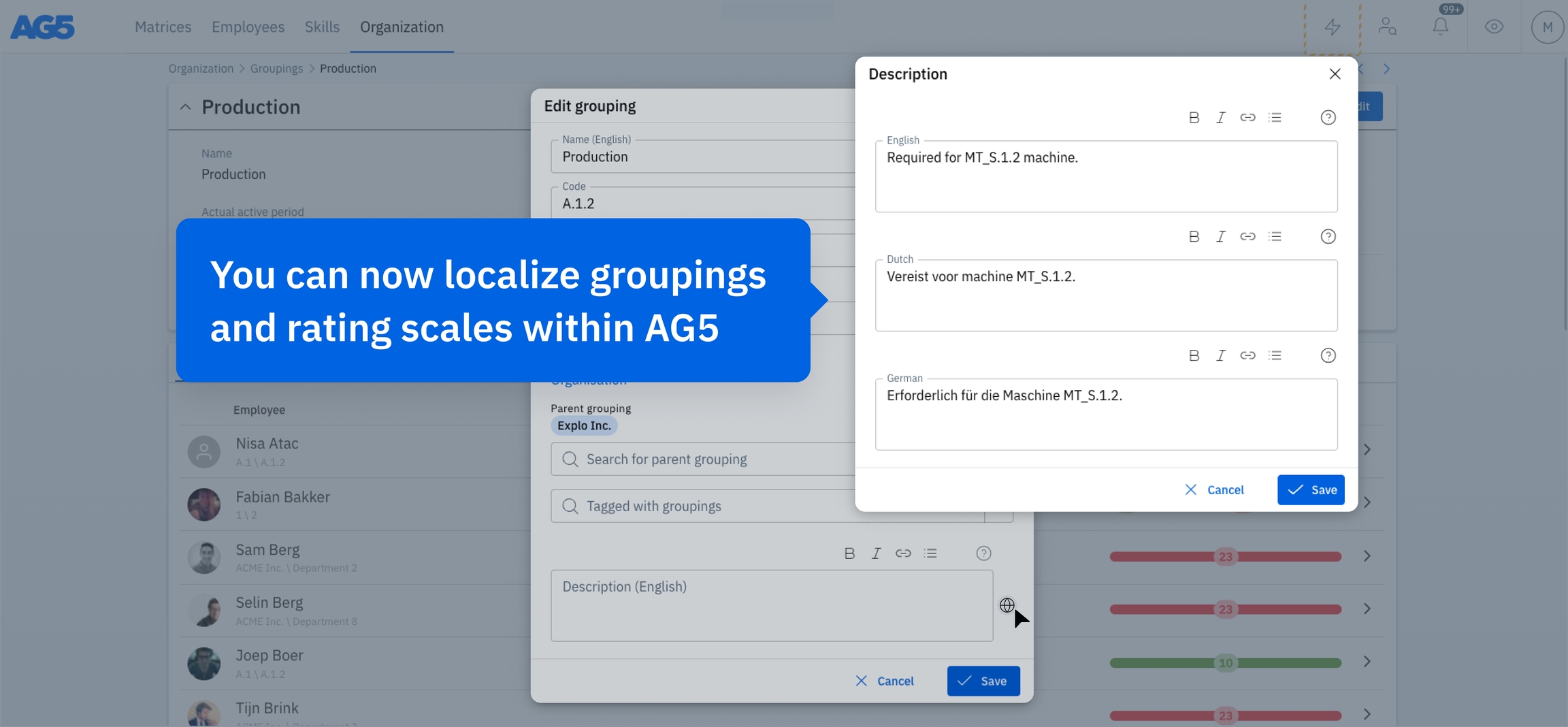
To better support our diverse user base, you can now localize groupings and rating scales within AG5. This allows you to add translations for names and descriptions into selected languages to meet the specific needs of different regions.
This new feature enables a more personalized, relevant, and accessible experience for users in various countries. It also facilitates clearer understanding and usability, enhancing user engagement and compliance with local requirements.
In this release, we focussed on back-end updates and improvements, and new languages. The back-end updates are not visible to the users but the new languages are:
Finnish
Czech
Bahasa Indonesian
The following updates have been implemented in AG5’s skills management software.
It is now possible to reference prerequisites with levels of the same qualification. You can now create a prerequisite ruleset so that it is only possible to achieve level 4 if level 3 is achieved, achieve level 3 if level 2 is achieved etc. This ensures clear and safe progression in levels of a single qualification.
The following updates have been implemented in AG5’s skills management software.
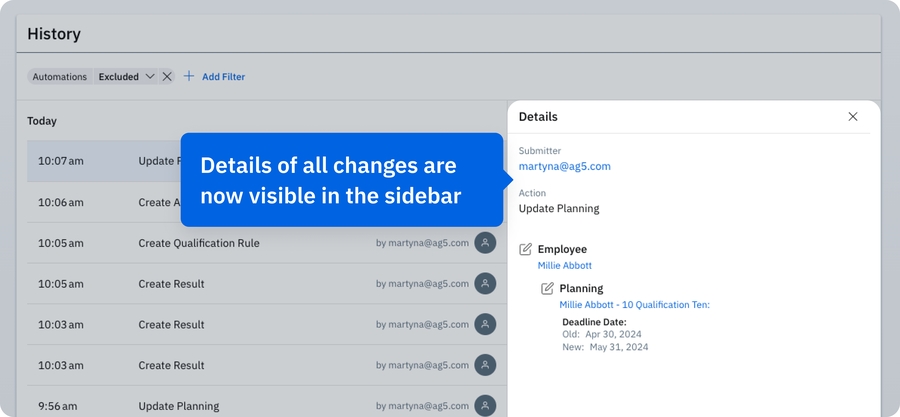
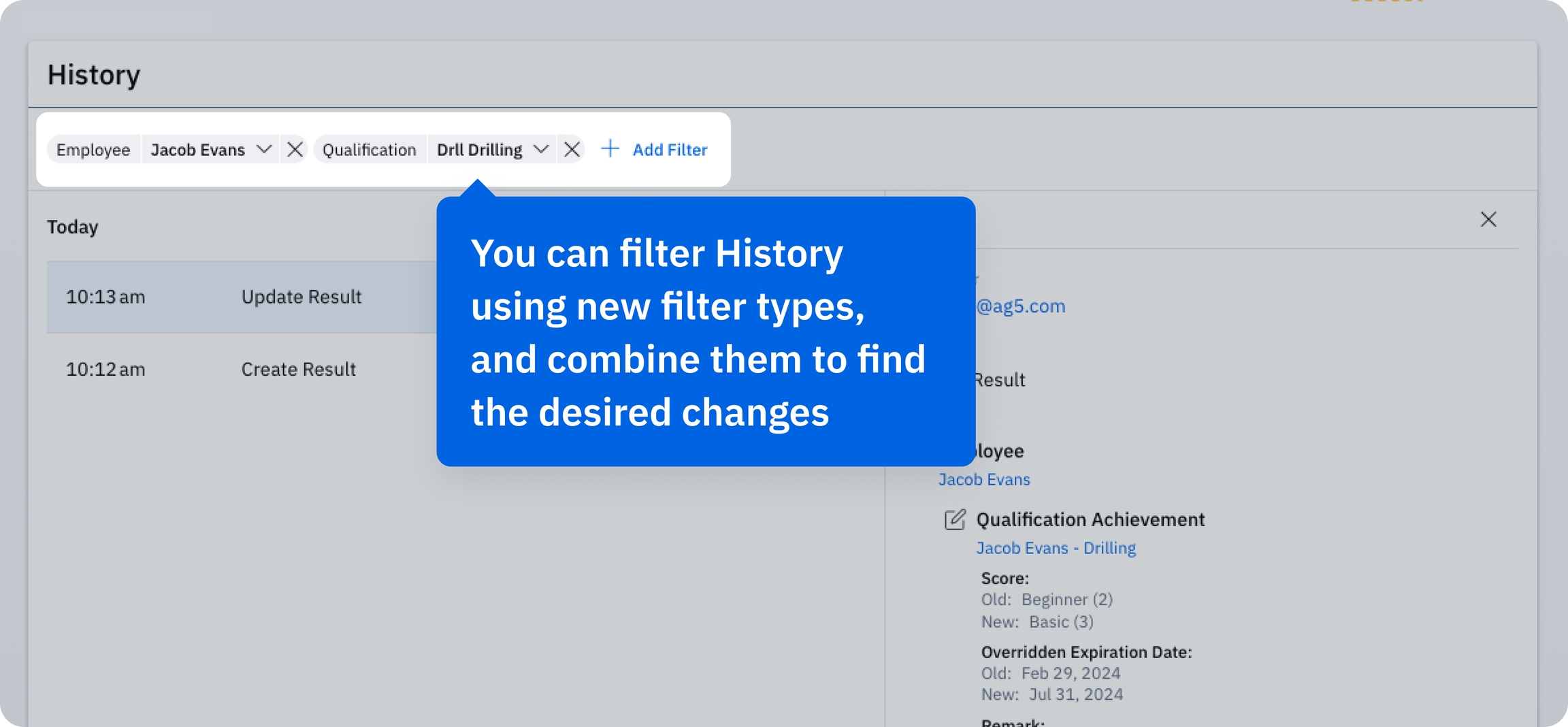
We have improved the History page, helping you more easily track changes in AG5, as well as provide you with additional information about exactly what has been altered, added, or deleted in specific entries.
Details of all changes made to AG5 are now visible in the sidebar after clicking on an action. You can also filter History using new filter types (i.e. employees, qualifications, or groupings), which can be used individually or combined to find your desired changes.
Please note that the History page is visible only to admin users.
Arabic
As usual, we will start around 19:00 CET. During this process, our application may be a bit slow or offline for a short time, thank you for your patience.
In the former version, we only checked if the direct prerequisites had any workflows to be executed. In the new version we also check if the prerequisites of prerequisites have any workflows to be executed. This 'workflow checking' for the prerequisites can now even go infinitely deep.
22-05-2024 09:00 - 10:00 CET
08-04-2024 19:00 - 20:00 CET
09-04-2024 07:00 - 08:00 CET
18-03-2024 19:00 - 20:00 CET
18-03-2024 07:00 - 08:00 CET
26-02-2024 19:00 - 20:00 CET
26-02-2024 07:00 - 08:00 CET
05-02-2024 19:00 - 20:00 CET
05-02-2024 07:00 - 08:00 CET
15-01-2024 19:00 - 20:00 CET
15-01-2024 07:00 - 08:00 CET


1. A more accurate unavailability setting
In AG5, you could mark an employee as unavailable. We have improved this feature with the unavailability period, so you can more accurately specify one or multiple time periods when the employee is unavailable.
2. Updates in the AG5 Skills Portfolio App
Going forward, you'll also see the result remark in the qualification timeline.
AG5 Skills Portfolio App is available on App Store and Google Play.
To learn more about skill versions, please read the help article.
Creating a new version of a prerequisite rule with many skills could be time-consuming and prone to errors. Now, you can copy existing rules directly from either the Skills page or the Prerequisites page, make the changes you need, and save them.
When copying a prerequisite rule to replace an existing one, make sure to add an end date to the old rule and a start date to the new one, so the timing stays consistent.
You can now directly add results and plannings to the skills required for a potential position.
When browsing potential positions, you can now see not only the missing skills but also the skills that have already been achieved, helping you track progress and plan development more efficiently.
The filter to send self-assessment requests only for required skills is now enabled by default, ensuring that only the most important and necessary skills are requested.
All skill-related tables now allow you to show or hide columns, giving you full control over what information is displayed. This makes it easier to focus on the data that matters most, streamlining your workflow and helping you make decisions faster.
Two new filters have been added to help you find and manage skill data more effectively:
Skill state (active or inactive) in the employee portfolio
Has attachments in skill results


Stay on top of pending approvals with our new widget, ensuring you never miss an important request.
A clear banner now highlights results that require approval, so you’ll know at a glance when action is needed.
A warning icon will appear when prerequisites aren’t met while adding a result or self-assessment, helping maintain data accuracy.
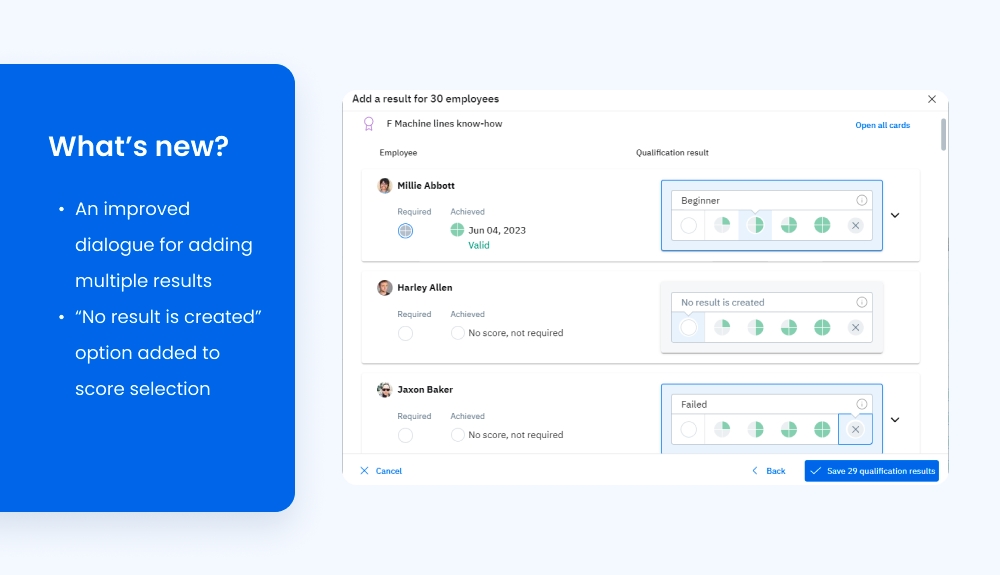
In implementing this feature, we were able to create a more intuitive workflow for adding multiple results. This means it is no longer necessary to use the “Apply to all” for employees on the second page. As such, the blue check markers previously used to achieve this have been removed.
We have introduced a new score selection screen throughout the AG5 application that makes adding data easier. This includes the option for “No result is created” when adding multiple scores.
You can now add data to custom fields during employee and qualification creation. This was previously only possible while editing existing qualifications and employees.
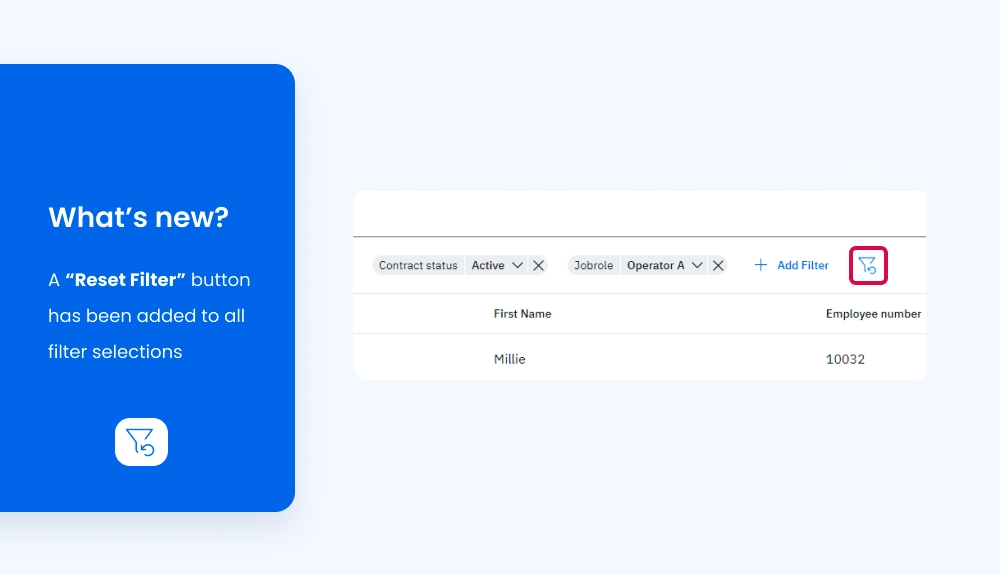
We’ve added a “Reset Filter” button that reverts filters to their default states. This is applicable throughout AG5 (including employee pages, qualification pages, and alert lists), with the button appearing each time you add new filters.
Qualification descriptions and qualification types can now be exported from the qualification requirements list.
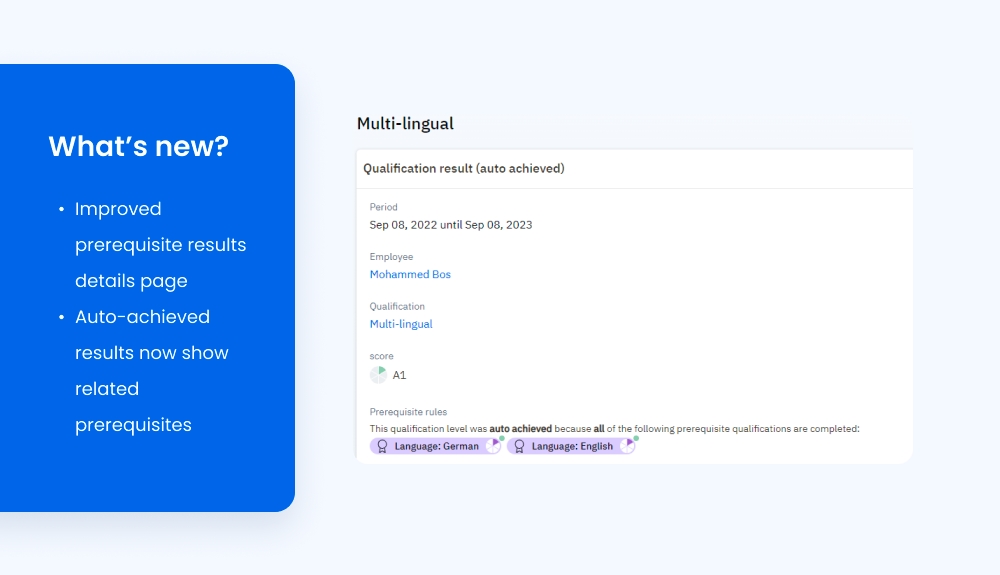
The details page for an auto-achieved result now shows the prerequisites fulfilled to achieve it.
We have updated the design for the dialogues that appear when creating or editing employees or qualifications. This is a continuation of our efforts to fully realize AG5’s updated visual design.
We’re happy to announce that support for the Romanian language has been added to AG5! 🎉
AG5 is committed to continuous improvement of our skills management software. If you have a request for a new feature, bug fix, or language support, please let us know!
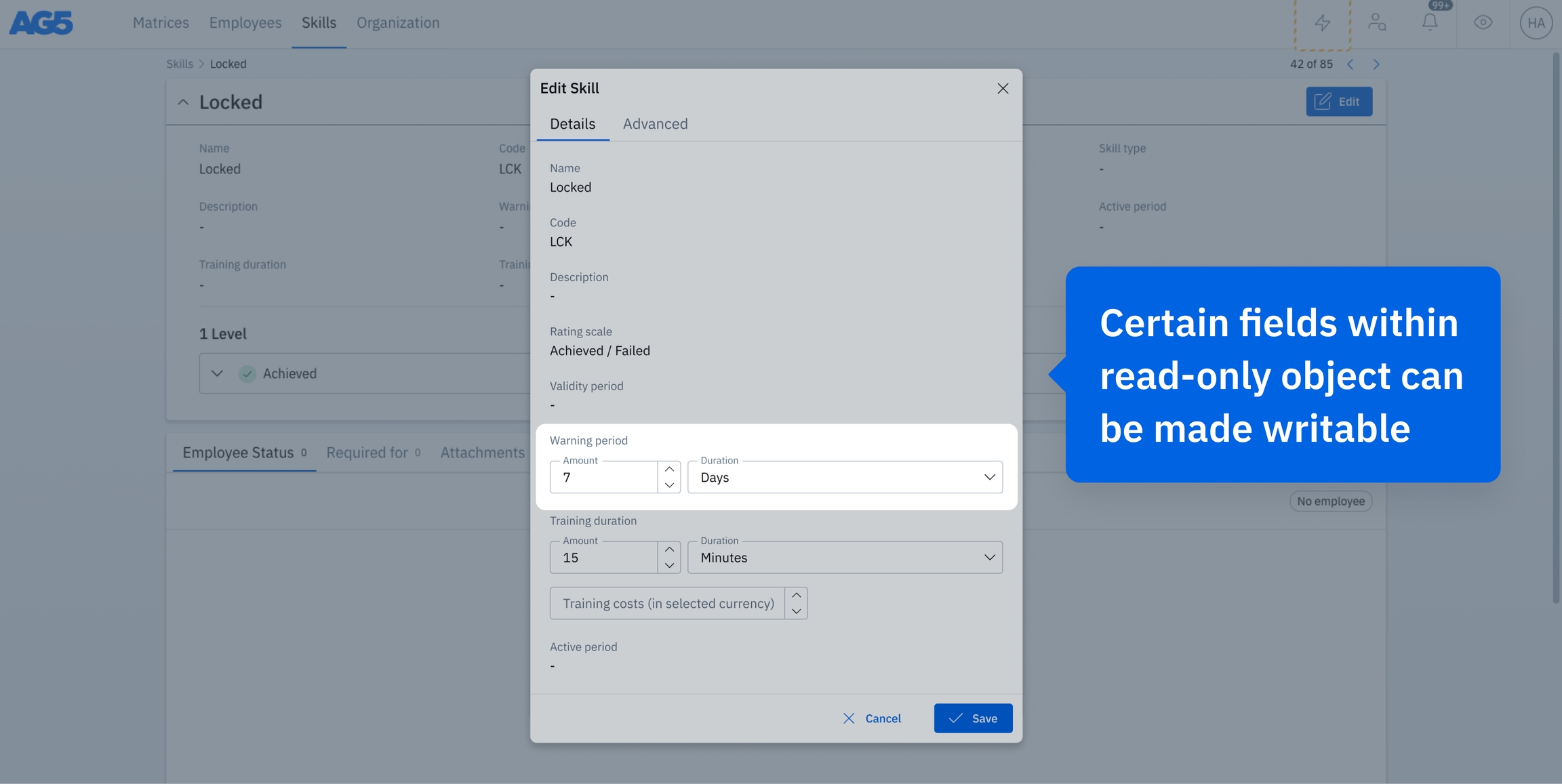
We've enhanced the flexibility of our data management by allowing certain fields within typically read-only objects to be made writable (these objects are set to read-only when they are managed by external systems.). This change provides you with additional control over the data entry process in areas where modification rights were previously restricted.
Users can now update specific information directly, improving data accuracy and workflow efficiency. This is particularly valuable in managing dynamic data that requires frequent updates, and helps ensure that your records are always current.


The following updates have been implemented in AG5’s skills management software.
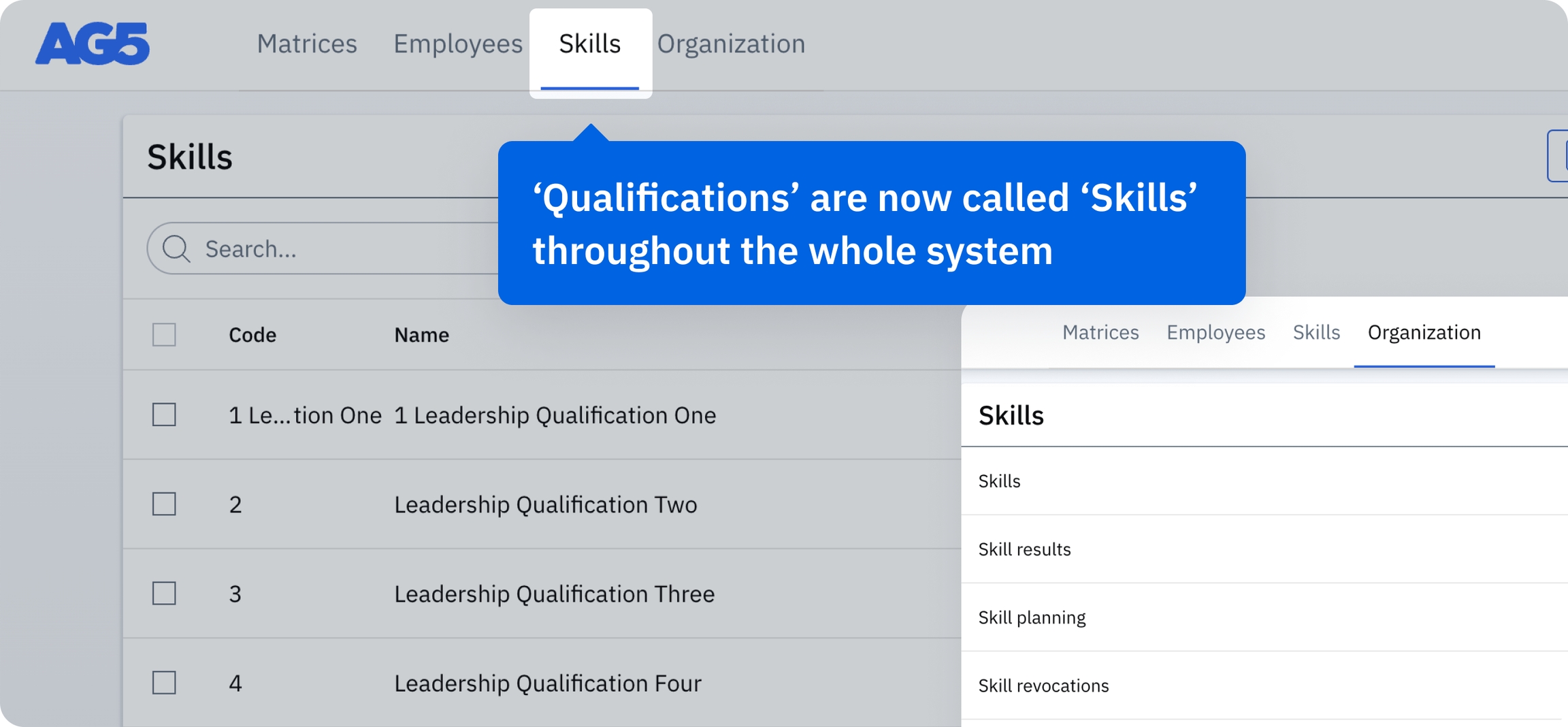
To improve clarity and better align with industry standards, we have renamed 'Qualification' to 'Skill' throughout the AG5 platform. This change has already been implemented in several languages. We will continue to roll it out to all available languages in upcoming updates.
This phased approach ensures that the transition is seamless and compatible with regional requirements and language nuances. Please note that the update does not affect AG5’s functionality. Instead, it serves to increase alignment with common professional terminology.
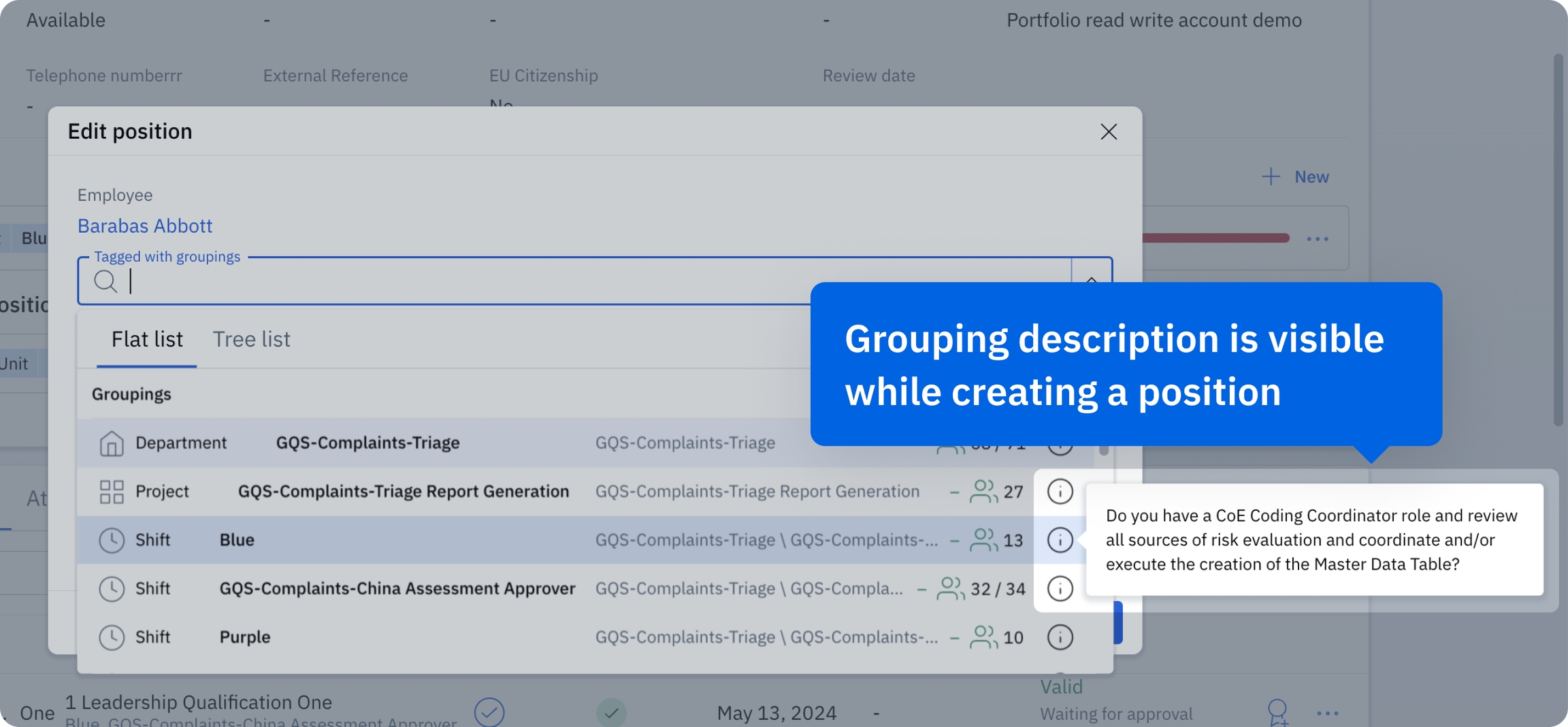
To further enhance position creation and organizational transparency, we have increased the visibility of grouping descriptions within the AG5 platform. It is now possible to preview the description of a grouping when creating or editing a position – no need to click between different views.
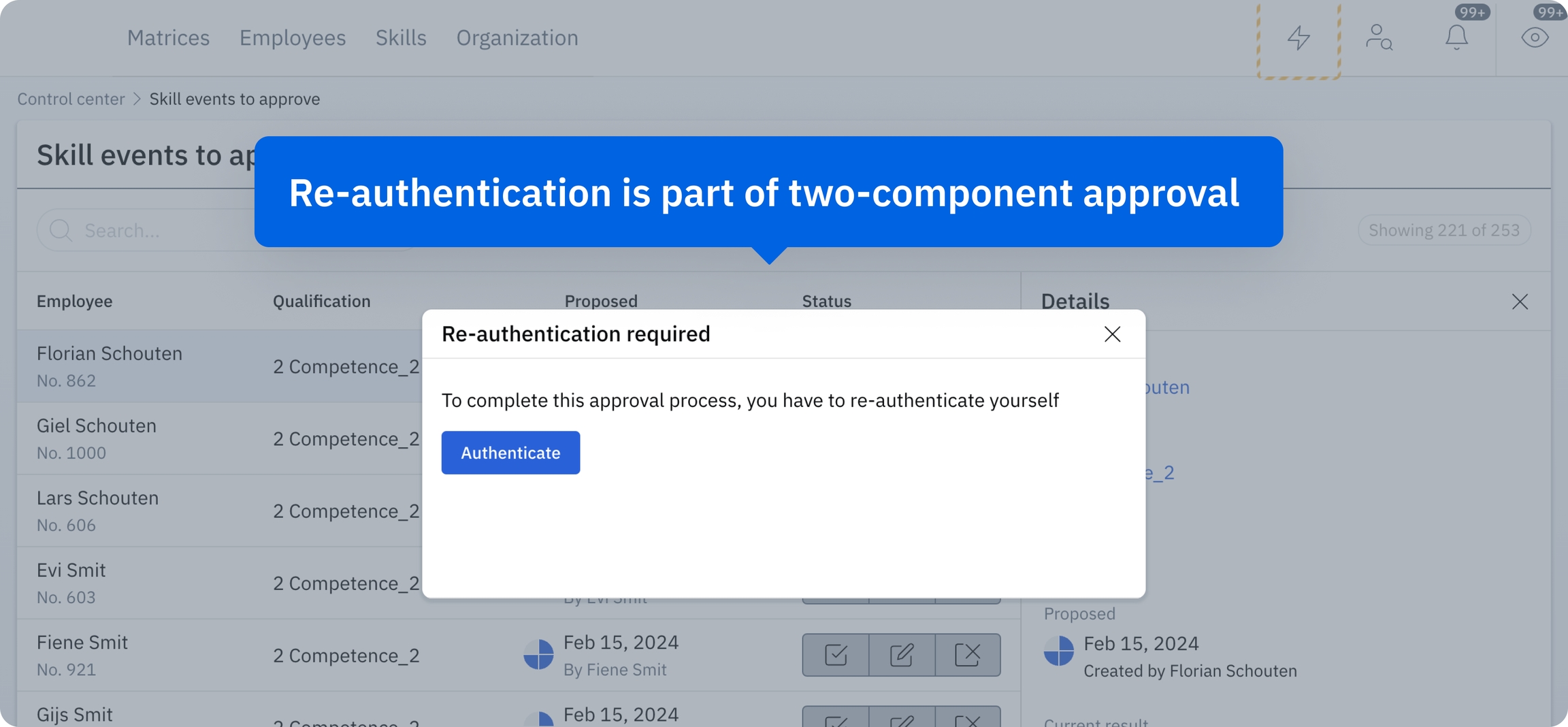
We have implemented a two-component approval process for skill assessments. This added layer of verification better supports audit requirements from organizations like the FDA (for example).
Note: To enable two-component approvals, please contact AG5’s customer service.
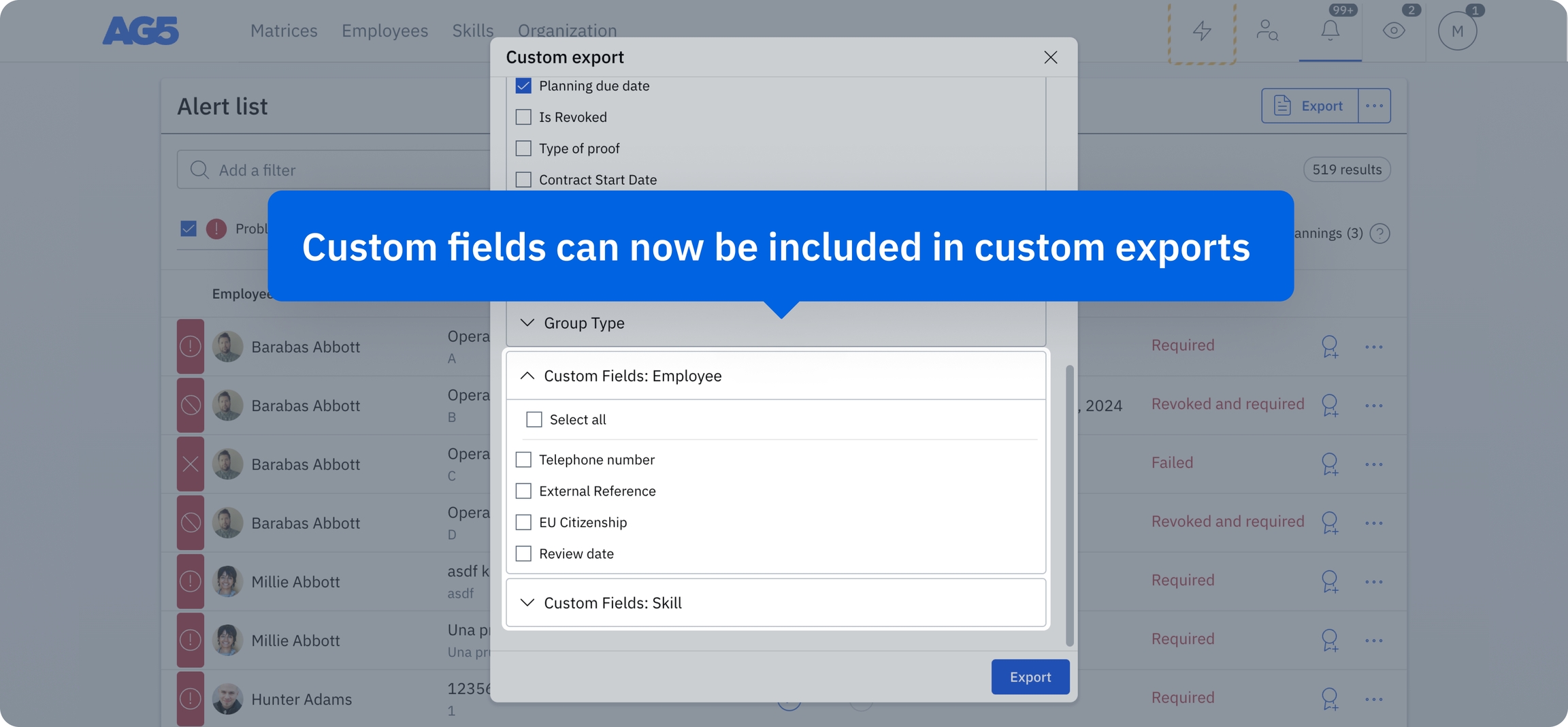
We've enhanced our custom exports feature to include custom fields. This allows for more personalized and effective data management, as you can tailor exports to include exactly the information you need.
We are rolling out a new login page.
For this release, there will not be downtime, so you can continue using AG5.
Not only did we upgrade the looks of the login page, but this new login application will also make it possible to have SSO & two-factor authentication possible for 2 existing Apps: Skills Portfolio and Skills Assessment Apps.
If you would like to use SSO or two-factor authentication in one of our Apps, please update your apps via Google Play or the App store to the latest version.
AG5 Assessment App is available on and .
AG5 Skills Portfolio App is available on and .
1. Expert finder with the search for specific score levels
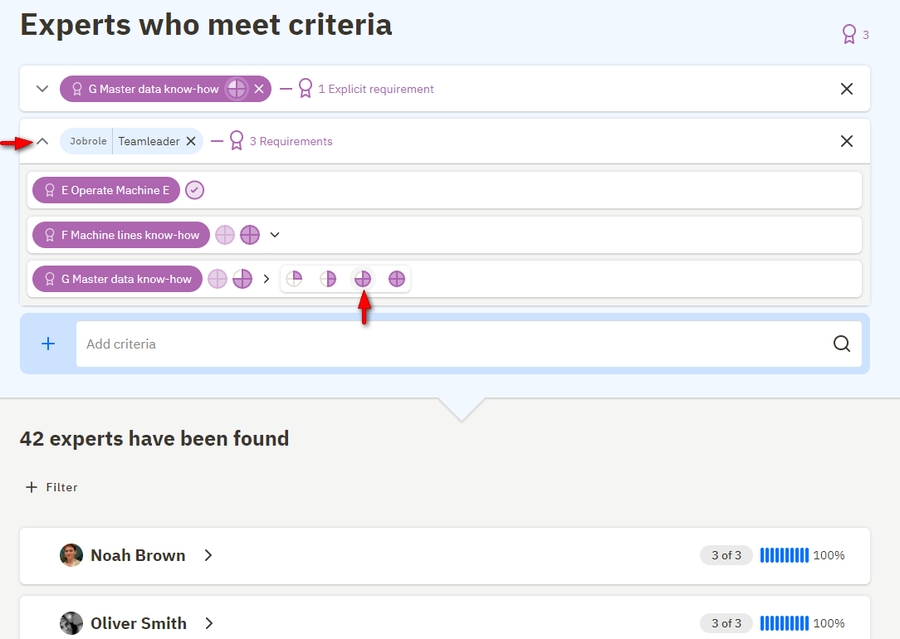
Qualifications with multiple-level rating scales can now be added as search criteria with a specific level. First select the qualification, open the bar, and then select the specific level. When the selected level overrides the required score, both levels will be shown. For example, in the picture below, for the job role “Teamleader” the required level for "Master data know-how" is level 4, but for this expert search, the level is lowered to level 3.
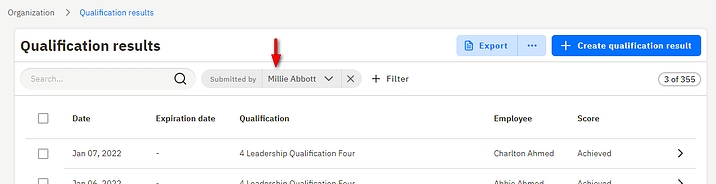
2. Extra filter option for Qualification results, "submitted by" - in addition with other filtering options, qualification results can now be filtered by the users who has submitted the results.
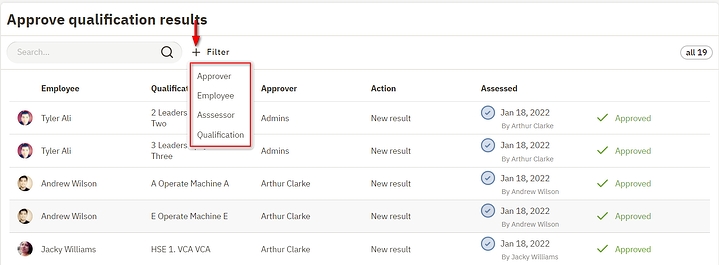
3. Three extra filters option in the approval list: filter on employee, qualification and/or assessor
1. Self-Assessment request filters
We have built a feature that improves self-assessment requests. Instead of simply requesting self-assessments from your employees, you can now filter only the qualifications which are required, which have a problem or warning status, or even filter qualifications that have a minimum number of employees requirement.
After specifying the filters, the overview page will provide you with the information on how many requests and the number of qualifications will be sent to each pre-selected employee.
2. Groupings
It is possible to create groupings from the groupings page. You can also export your list of groupings from AG5!
The groupings page in the Organization tab has received a large update. Apart from the new look, we have added the description field as well as the ability to specify the active period for a grouping.
3. AG5 Assessment App
We have also updated the Assessment app.
Qualification level descriptions are now properly shown in the app, including the standard AG5 formatting. It also has the ability to specify types of proof.
Download the AG5 Assessment app for free on Google and App stores.
Google play store .
App store .
Release video:
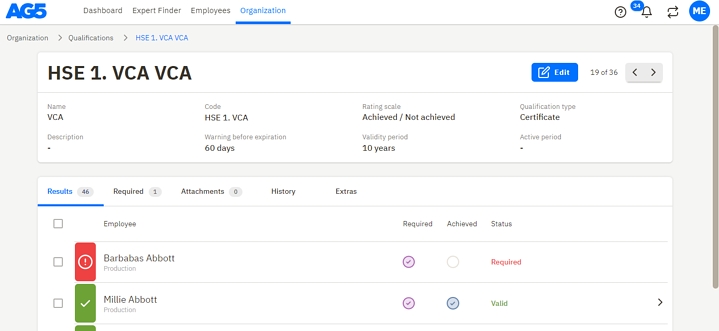
1. Improved layout of the qualification detail page.
The new page layout is required for some additional fields we are planning to add to Qualifications in the coming releases.
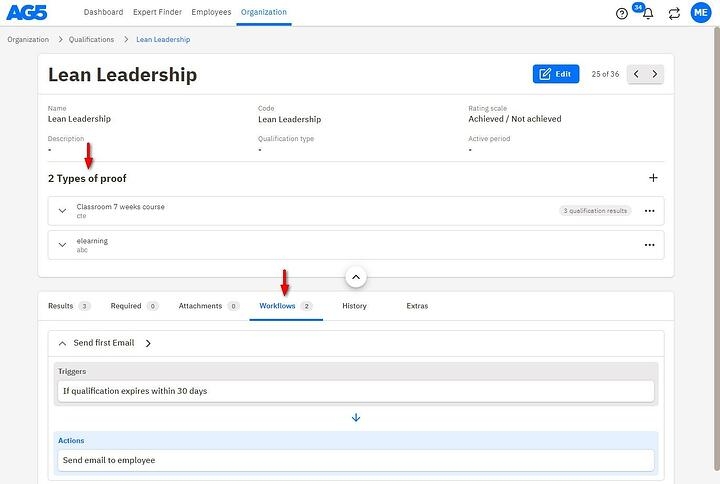
If your organization is using workflows and types of proof, the layout will look like this:
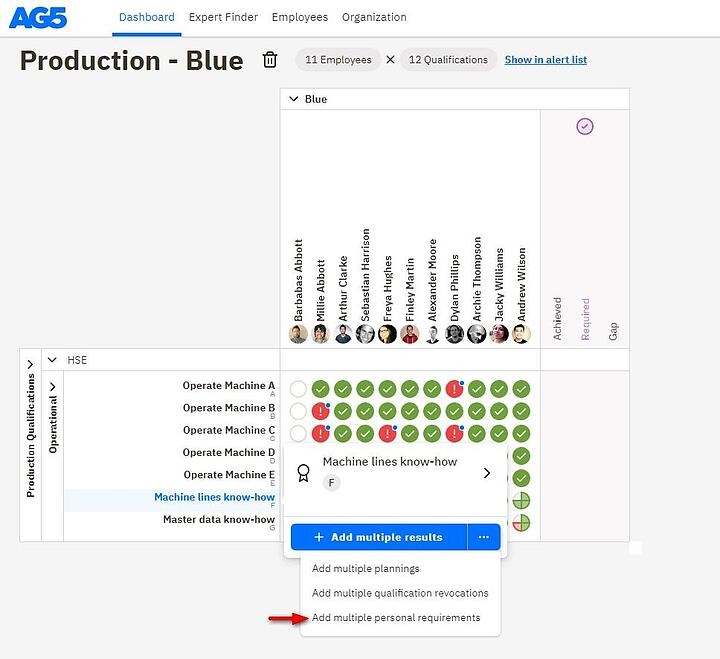
2. Add "Multiple Personal requirements" directly from the Matrix page - below is an example of this action
We are happy to announce another release of our software. We have released one new feature and as always, many backend improvements.
1. Custom Fields - Additional fields that are added per request to Qualifications and Employees to track user-specific information.
Creating custom fields is currently only possible through our support team. For adding them, please contact [email protected]. Provide us with the name and type of the field and in which page you want this field to be visible.
Watch our release video to see our new feature in action!
Disclaimer: Custom fields can be used, but in this first version, functionality is still limited.
1. They can only be defined by ag5 support. (sent a request via )
2. Fields of the type "Number" can't accept decimals as input.
3. Max amount of custom fields is 4. (Employee as well as Qualifications can have 4)
4. Custom fields can only be added to Employees or Qualifications.
In future versions these limitations will be eliminated.
We are happy to announce another release of our software. We have released both a new feature as well as many backend upgrades.
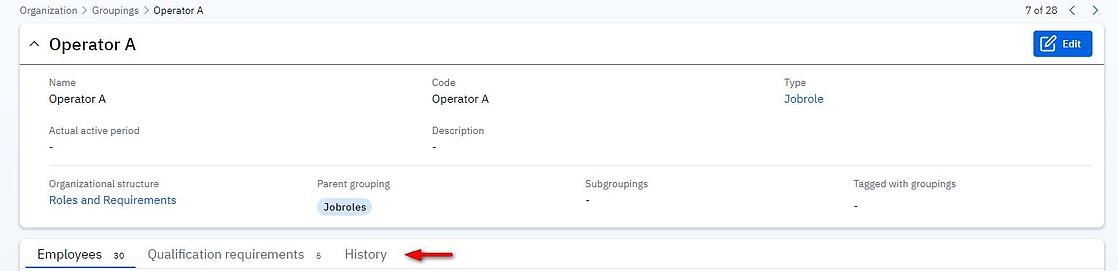
1. Groupings History - On the Groupings page, you can now see the history of each grouping from the organization structure.
2. Improved Self-assessment Email - The automatic email sent to employees when a self-assessment is requested now includes a link to the portfolio page, instead of the general link to AG5.
3. Added New Languages:
Italian
Russian
We are happy to announce another release of our software. We have released both a new feature as well as many backend upgrades.
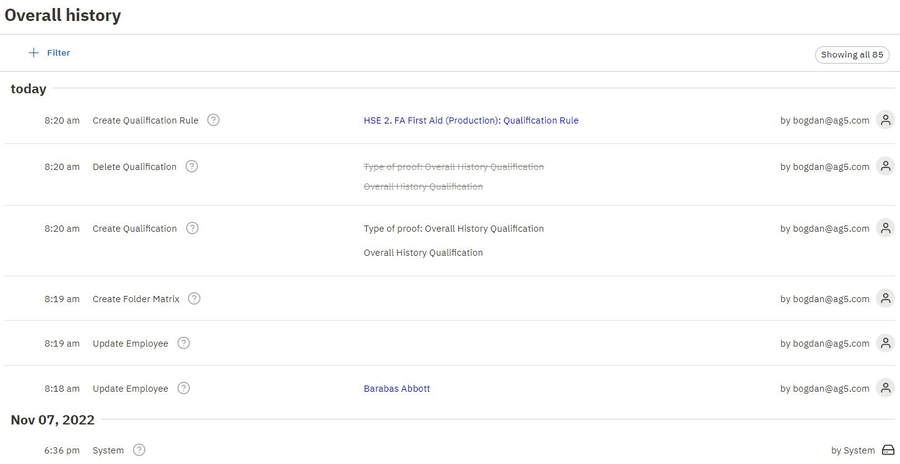
Overall history
You can now see the entire history of changes in your AG5 environment.
Within this page, found in the Organization tab, you will be able to find whatever changes were made in your AG5 environment, timestamped and with the email address of the person who performed that change.
This will make it simple to find out who performed changes in AG5, but also how employees are using the software, what are the common actions, or just track overall activity in AG5.
Please note that we are still working on this feature and some information might be missing in the History of Changes. It will be further improved in upcoming releases.
The overall history page is available only to the admin and super users.
Language update
Language preferences are now saved in user data, rather than browser cookies. This change will be convenient when changing browsers or devices, but also allow us to create more user-specific features in the future.
Visual upgrade of employee page
The employee page was also updated with a new look. This is part of the major visual upgrade to AG5 which will continue in the following months. Follow the below links for more information about the visual upgrades:
1. New feature: Show Matrix in Alert list - you can see more about this feature in the video
2. An employee’s email can now be different from their account email - - Since the release in November it wasn’t possible to create different employee with the same email address. We got feedback from customers that they still required the feature. We have now solved this problem by separating the user account email and employee email. And only on the account email, we have the constraint that the email must be unique.
3. Two new languages: Polish and Turkish - We have added two new languages in our system
4. Last but not least, many process improvements for ”result approvals” and “self assessment requests - Most important changes were explained in an email we sent 3 weeks ago to all admin- and superuser accounts. And we also improved the help articles about these 2 processes:
The following updates have been implemented in AG5’s skills management software.
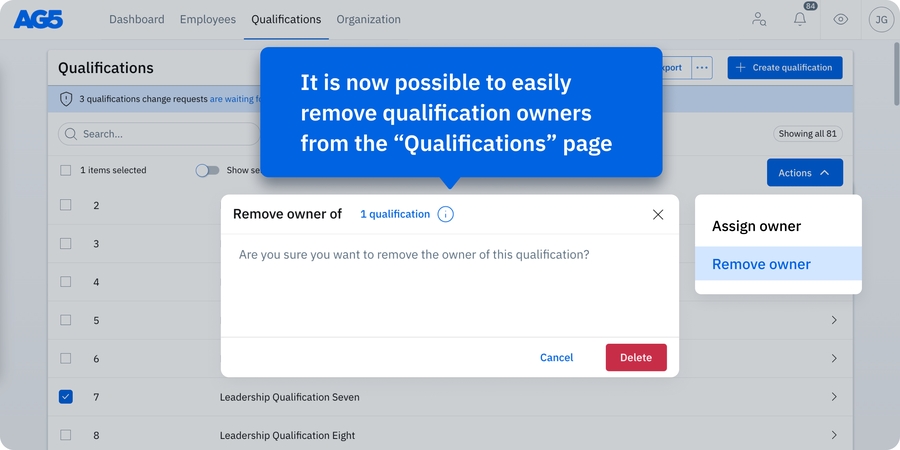
You can now remove and assign qualification owners directly from the “Qualifications” page. By selecting a qualification and clicking on the “Actions” menu, you can remove the current qualification owner and subsequently assign a new one. This makes it easier to manage qualification ownership throughout the organization. Additionally, the “qualification owner” field is now included in custom exports.
Please note that the qualification ownership feature is only applicable to AG5 users that have explicitly enabled it (and use it in combination with results approvals or master data management). As such, it will not be visible to all users.
1. New language - AG5 has been translated to Chinese.
2. New help articles
Product Roadmap - To see which bigger changes are planned for 2022 and 2023! (we're already working on several, but these take multiple release cycles/ sprints).
"Requirement exemption" and "Revocation" - We have renamed "Personal requirement dispensation" to "Requirement exemption". To see the help articles, click on the respective name:
In this release, we introduce a new visual design for our application!
The changes in this release are only a first step, in the upcoming 4 to 6 releases we will step by step overhaul the whole application with this new visual look.
To make AG5 accessible for more users! By adjusting our visual design for “color-blind” users.
The following updates have been implemented in AG5’s skills management software.
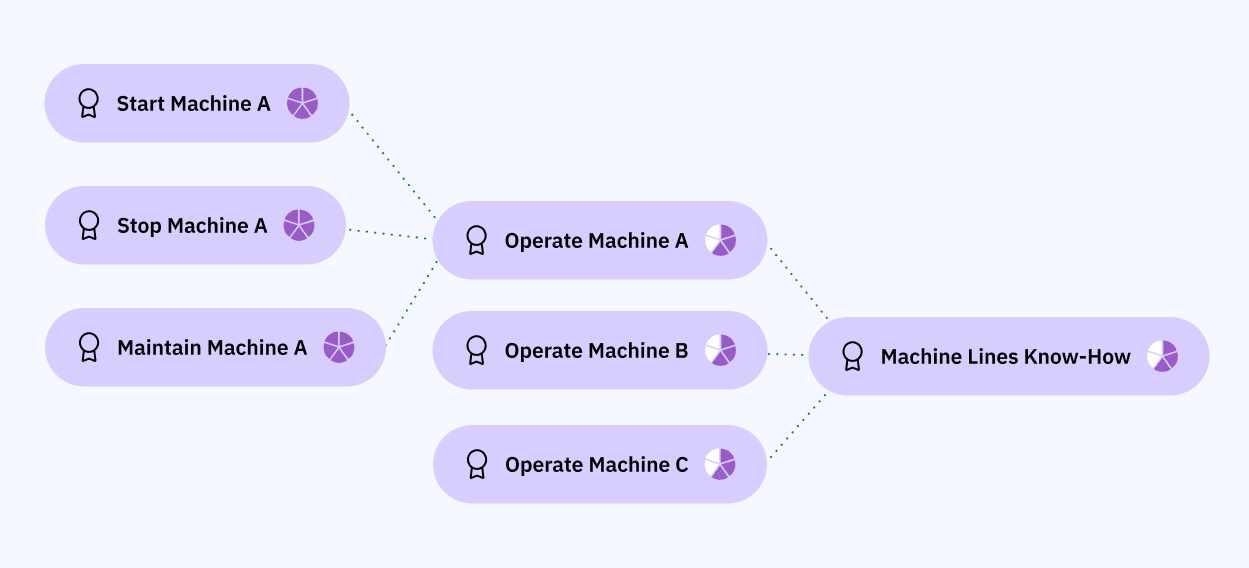
Previously, you could create prerequisite rules that, when completed, would auto-achieve target qualifications.
Now, you can stack them – helping you streamline your employees’ certification and qualification statuses.
For example, when an employee has achieved the qualifications “Start Machine A”, “Stop Machine A,” and “Maintain Machine A,” you can choose for him or her to automatically receive the “Operate Machine A” qualification. Additionally, you can now specify that employees with “Operate Machine A, B and C” qualifications will automatically obtain the “Machine Lines Know-how” qualification.
The following updates have been implemented in AG5’s skills management software.
Never miss a critical step again! Our new workflow reminders feature lets you automatically send reminders when a workflow trigger is still met—reducing the need for manual follow-ups and improving workflow efficiency.
How it works: An email reminder will be sent automatically if the trigger conditions are still met after a set period of time—meaning the expected action hasn’t been completed within the defined timeframe.
The following updates have been implemented in AG5’s skills management software.
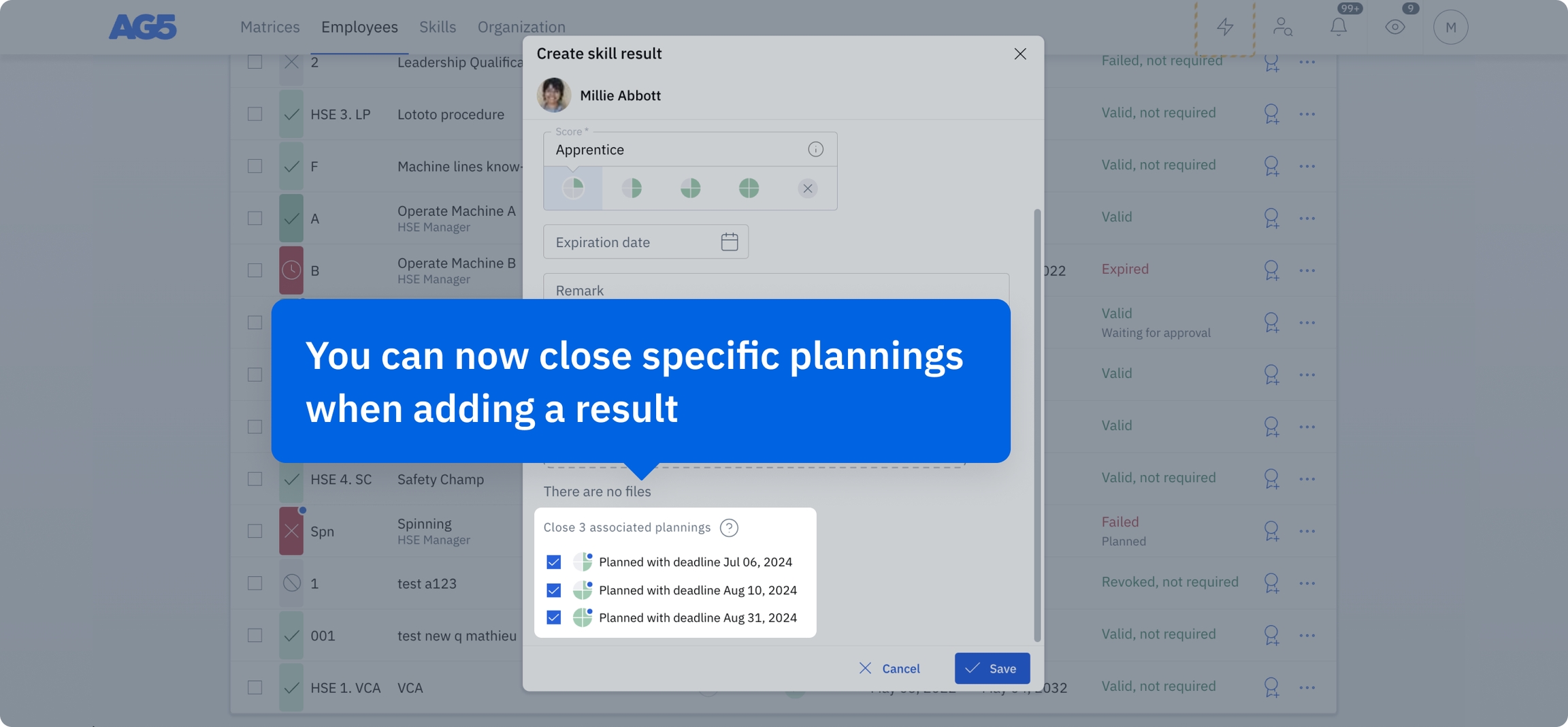
We have upgraded our planning feature to provide you with greater control over your result entry process. When adding results, you can now select the specific plannings you wish to close. This flexibility allows for more precise planning management, moving away from the previous all-or-none closure system.
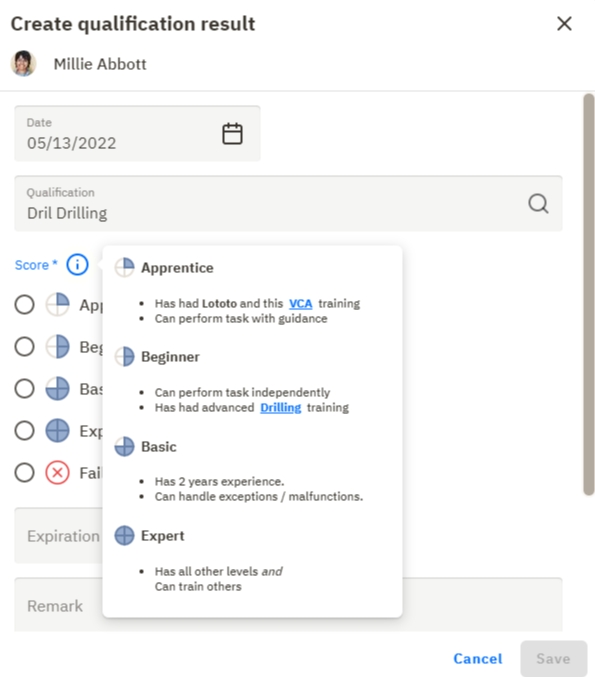
1. Level descriptions -
To make sure every user has the same understanding of what it exactly means to have achieved qualification on a certain level, you can now give each level a description. These level descriptions can be made visible while adding qualification results, to help users understand the differences between them, and select the right one.
Level descriptions can be defined generally within a Rating scale or more specifically within a Qualification.
In the picture below, you can see the level descriptions that are specifically defined for the Qualification "Drilling".
Here is the link to the help article about this new feature - And in the video below, a short introduction about it as well. The video also shows some minor improvements concerning the Alert list export, Matrix fly-out, and some labels.
The following updates have been implemented in AG5’s skills management software.
We've merged the “Qualification Results” and “Qualification Results (Auto Achieved)” lists. All qualification results are now conveniently available in a centralized location, streamlining their tracking and management. Additionally, a new filter allows you to easily distinguish manually achieved and auto-achieved results within the unified list.
Please note that Auto Achieved Qualification Results are only applicable to AG5 users that use Prerequisites Rules.
The following updates have been implemented in AG5’s skills management software.
The Planning Creation dialog has been significantly enhanced to provide more information about employees, skills, and other planning-related details. You’ll now have better insight into how skills and planning interconnect, allowing for more informed decisions and a clearer overview of your scheduling and planning needs.
Reminders can currently be configured for the following four triggers:
Skill action approval waiting
Required / non-required skill is expiring soon
Required skill is missing
Required skill is missing or expiring soon
Note: Reminders only apply to triggers that are activated after the reminder is set. They won’t apply retroactively to open tasks that already existed.
Want to learn more? Check out the full guide in our Help Center article for setup instructions and best practices.
To provide more comprehensive insights, training duration and training cost data are now included in the Alert list, Skill results, and Skill requirements custom exports. Easily track and report on training needs and associated costs.
These enhancements make it easier to assess past performance, anticipate future needs, and take data-driven action.


We’ve redesigned workflows to offer a more intuitive and user-friendly experience. It’s now possible to simultaneously select multiple skills or skill categories when creating a workflow, saving you time and simplifying the setup process.


Please see the video to see those 4 highlights in action
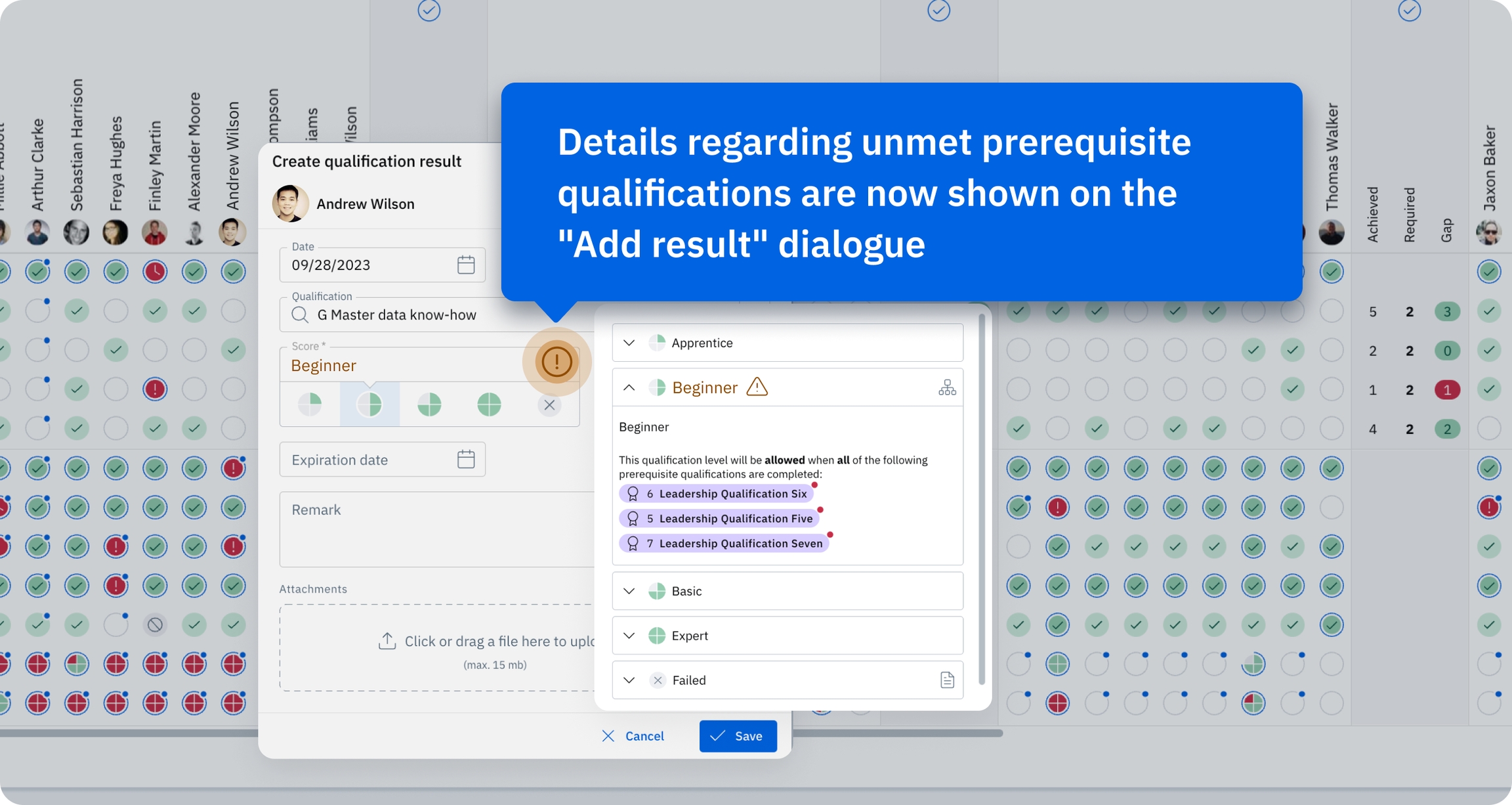
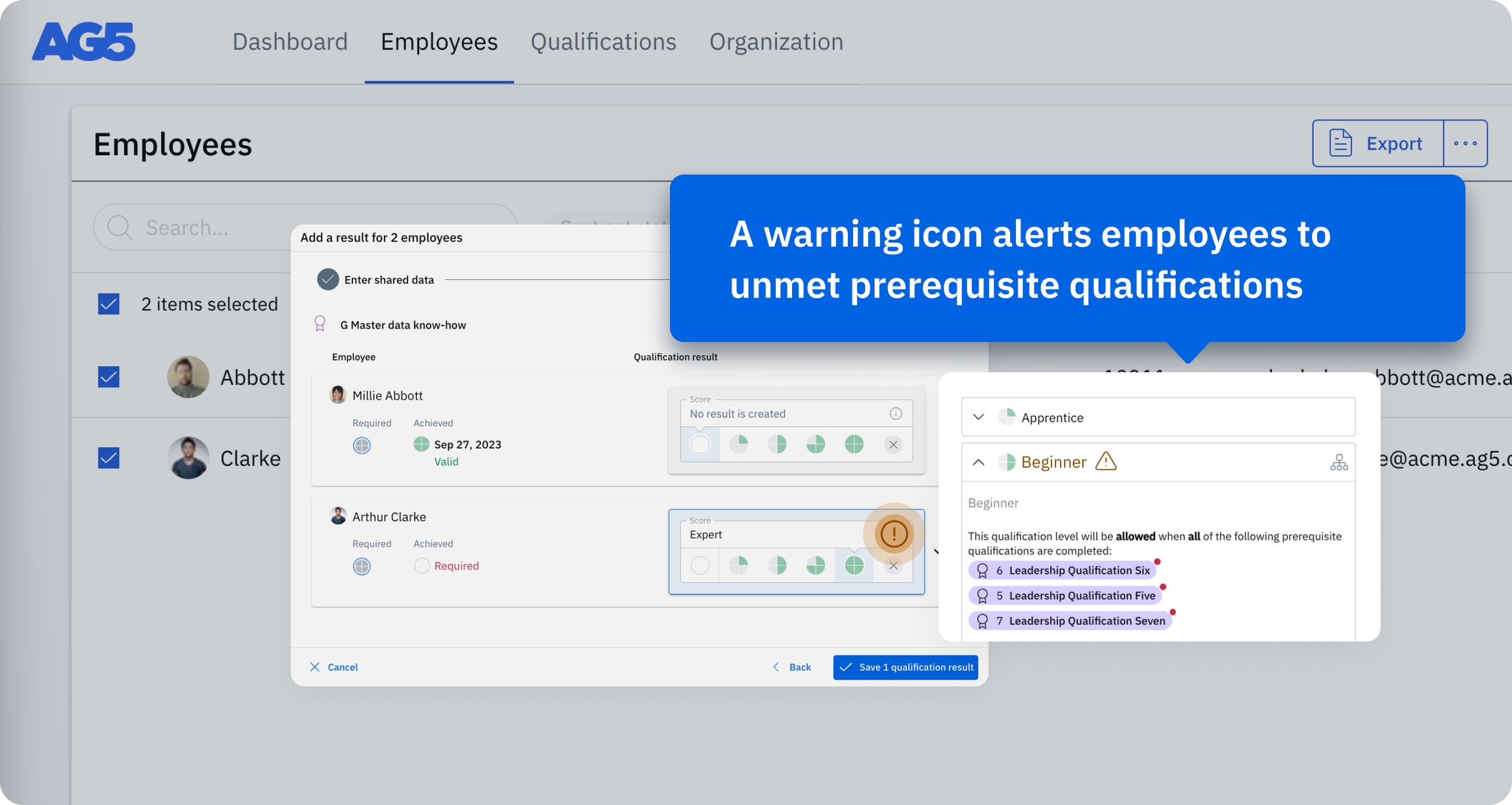
If prerequisite qualifications are not met, users are now prompted with a warning icon on “Add result” dialogues (pop-ups).
In the example below, the employee has unmet prerequisite qualifications. Now, managers can immediately see this and take action by planning training for the required qualification – reducing the risk of costly downtime or delays, and ensuring all employees have the skills they need to remain productive.
To improve our software development efficiency. By using more standardized visual components we will be able to deliver new features even faster. And we can apply these components not only to our web application but also to our mobile apps.
And of course to further modernize the look of our AG5 application!
What did we change in this release?
In general, we have improved the visual design of our system and not (yet) the functional parts of our system. The most important changes for your daily work are the following:
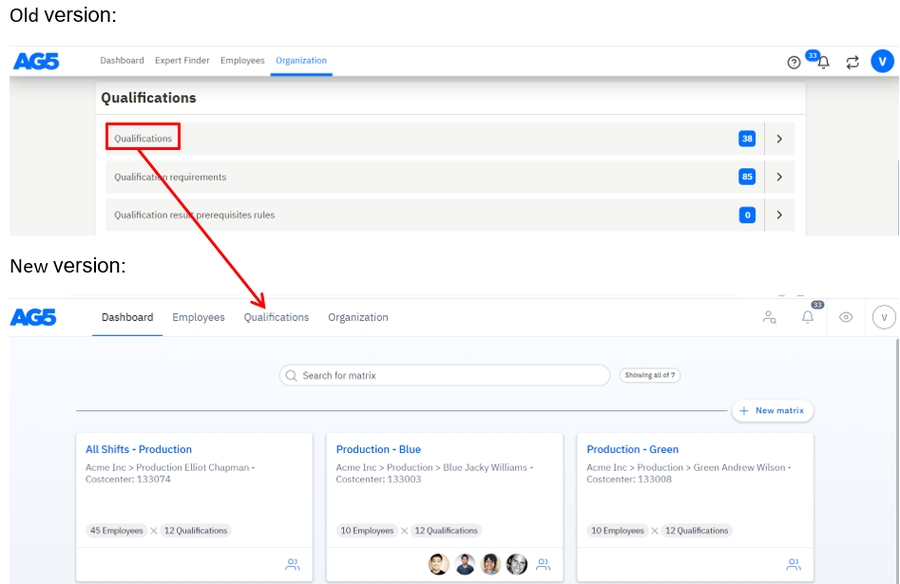
Qualification states Old version:
New version:
The top navigation
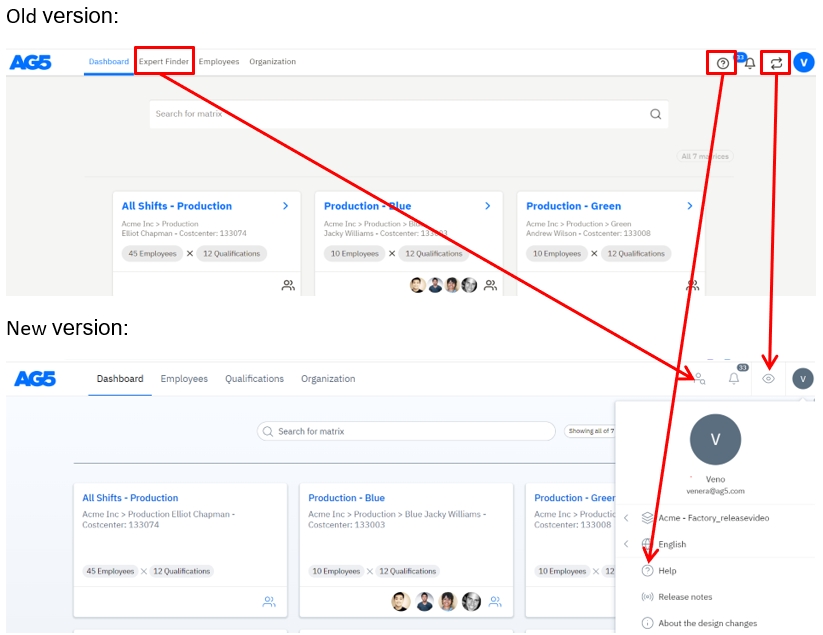
1. The expert finder button is changed from a textual button to an icon. And is moved from the center to the right.
2. The control center icon has been changed from an arrow icon to an eye icon.
3. The help question mark icon can be accessed by clicking on your avatar icon on the right-top corner of the screen. This is also the place where you change the language of AG5.
4. A link to the qualification page has been added to the top navigation.
The dashboard page
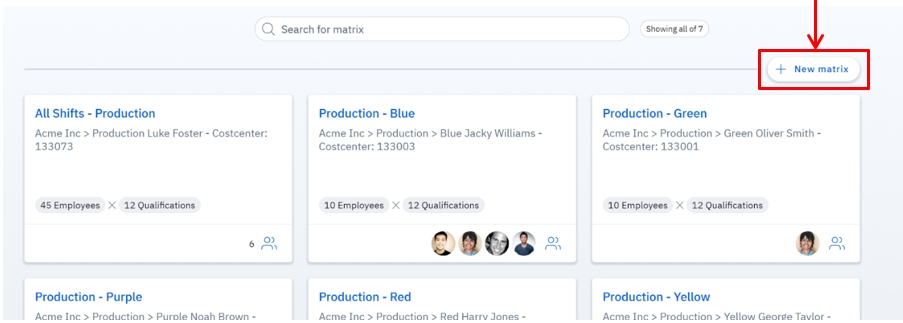
1. The “New matrix” button has been moved from the bottom-right to the top-right.
The matrix
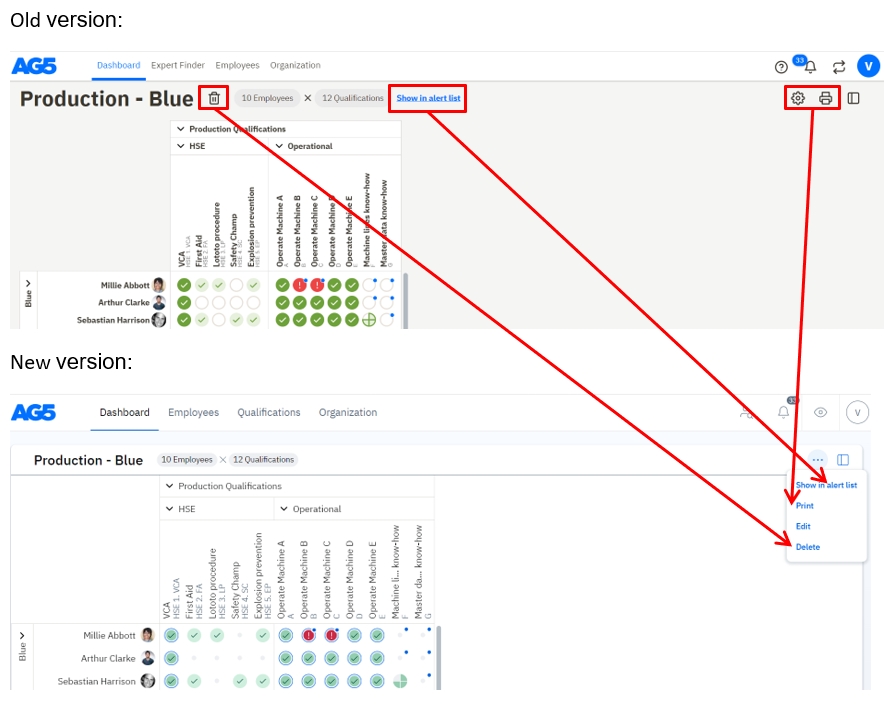
1. The following features can be accessed now via the three dots that are visible in the right-top corner of the matrix window: delete, go to alert list, edit, and print.
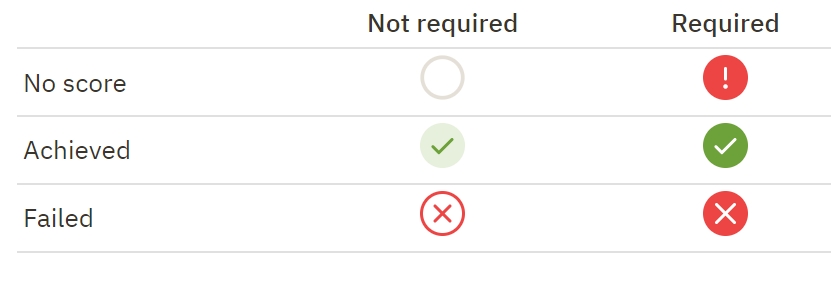
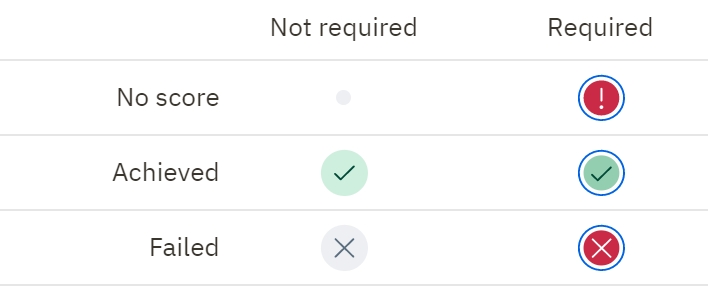
2. Required qualifications used to be visible only by an exclamation mark but now these are shown by an exclamation mark with a blue border. The border indicates the requirement.
Not yet, the design improvement will be finished in the coming months. Our software has a lot of features so it takes time to apply the new design to all components. Therefore, you will slowly see more parts of our system in the new design in the coming months. You will be informed when we release the subsequent changes via our release email.
Besides the design changes, we are also busy improving the functionality of AG5. Also, several functional improvements will be released in the coming months next to the design changes. So, we are not focusing on design improvements only.
Of course! We would love to hear your feedback about our new design. You can mail your feedback to [email protected] and we will get back to you as soon as possible.
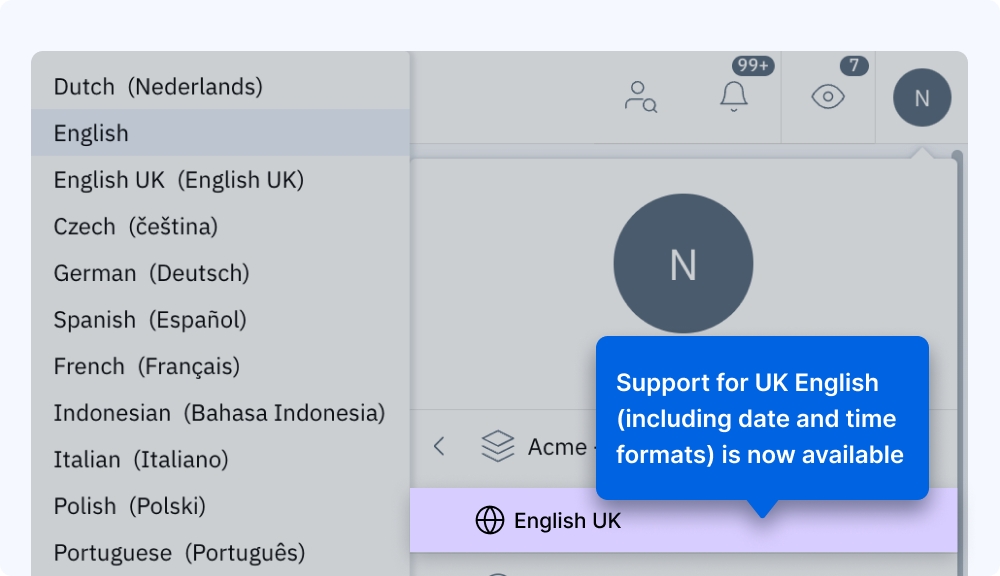
We are pleased to announce that support for English UK is now available in AG5! This also includes the date and time format for the British language.
The date format for English UK will be presented as DD/MM/YYYY, whereas English US will remain as MM/DD/YYYY.
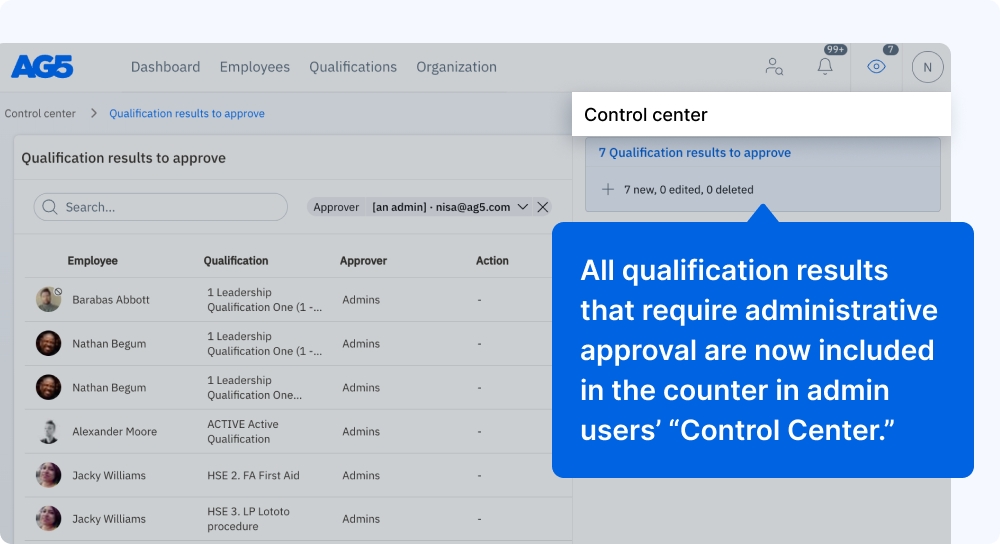
All qualification results that require administrative approval are now included in the counter in admin users’ “Control Center.” Previously, only those that required approval by the logged-in user were counted. The new manner of display aims to better enable admins to oversee and approve pending results.
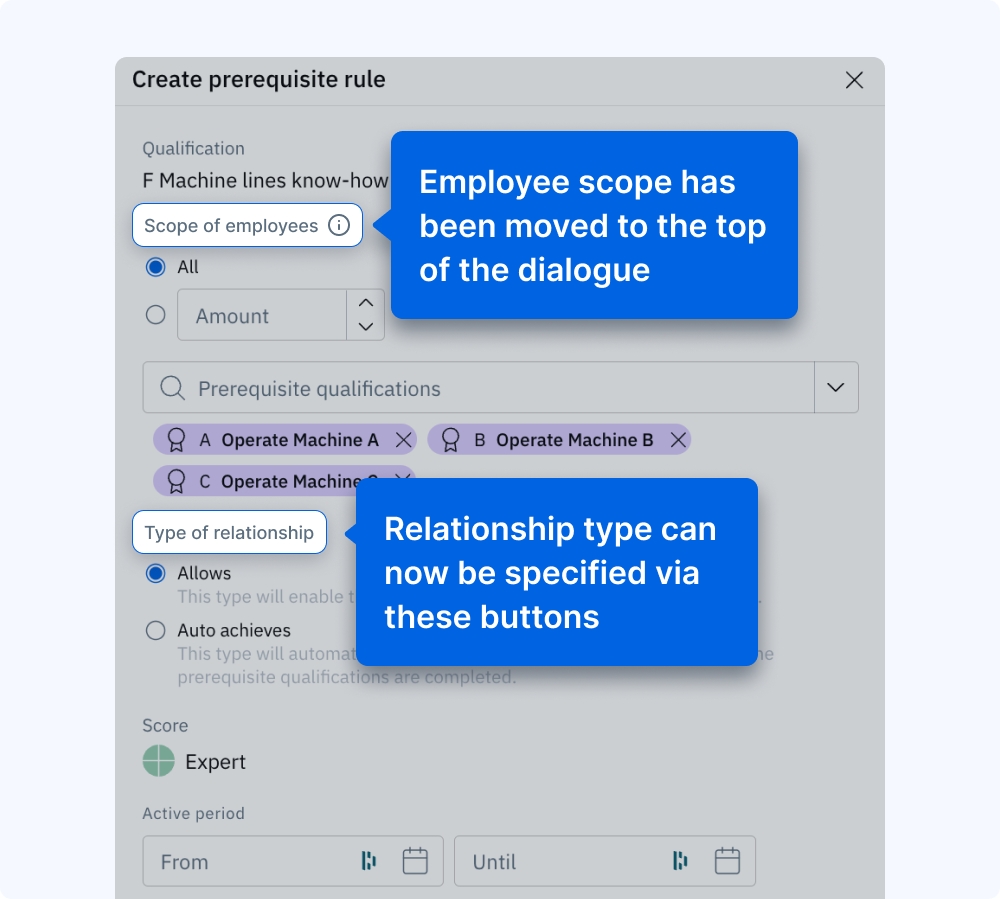
We’ve improved the dialogue for prerequisite rules, with a new button allowing you to specify the relationship type for a given qualification. Additionally, employee scope selection has been moved to the top of the dialogue.
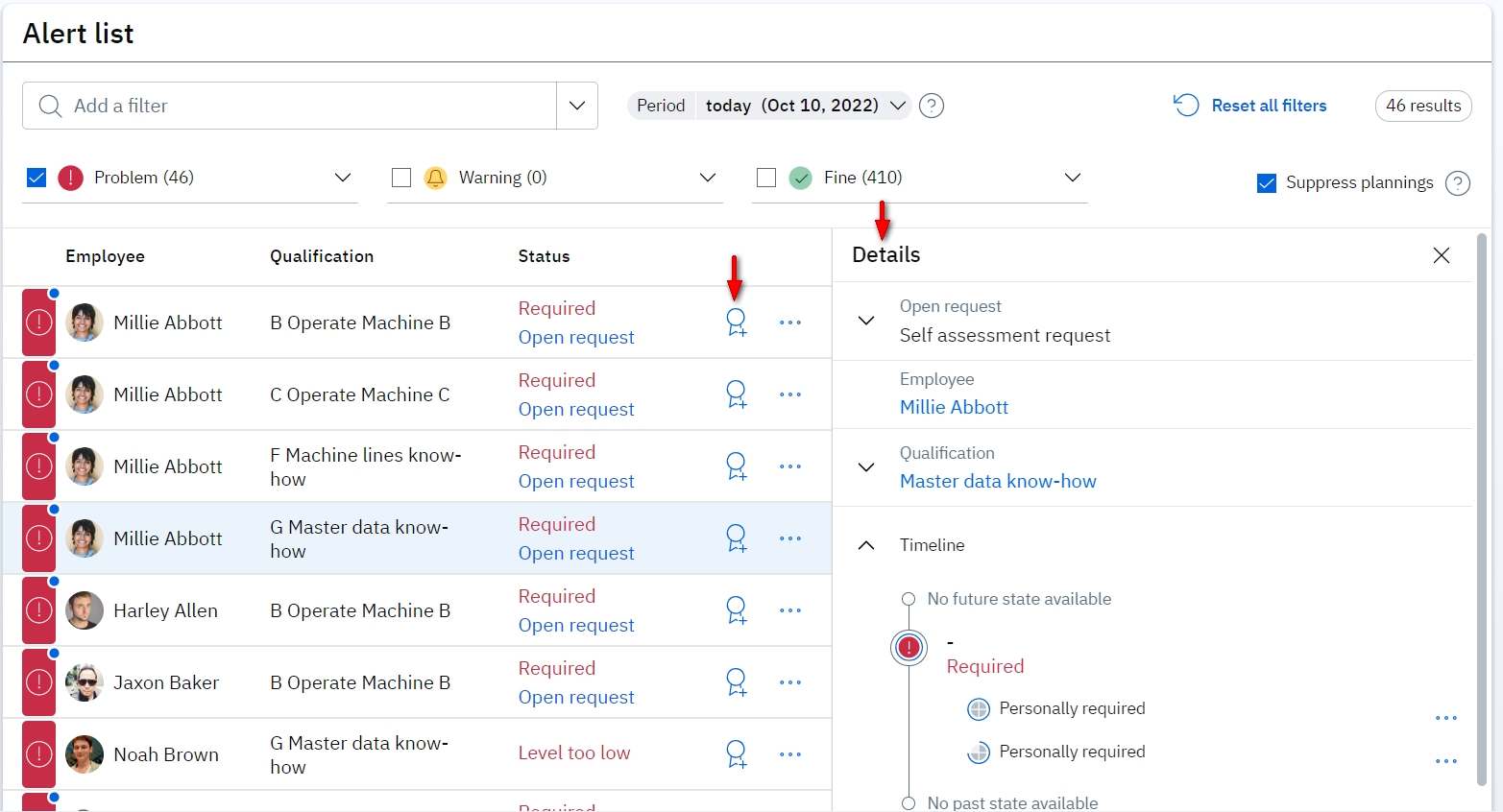
Now you are able to see more details for each gap in the alert list. When you select a gap in the alert list it will show you the detail on the right side. You will see for example if there is an open action, such as approvals, planning, or open self-assessment to ignore the gaps. Or you can see other related details. The benefit of this information is that it allows managers to analyze the details of their skills gaps without having to leave the page. It makes their analysis more efficient.
Also, you have the ability to solve gaps by adding results within the alert list page. With the following icon, you have the ability to add results:
The benefit of this feature is that managers or trainers can add results, in other words, solve gaps, while they are analyzing the gaps in the alert list. So, this improvement also helps managers to solve gaps more efficiently.
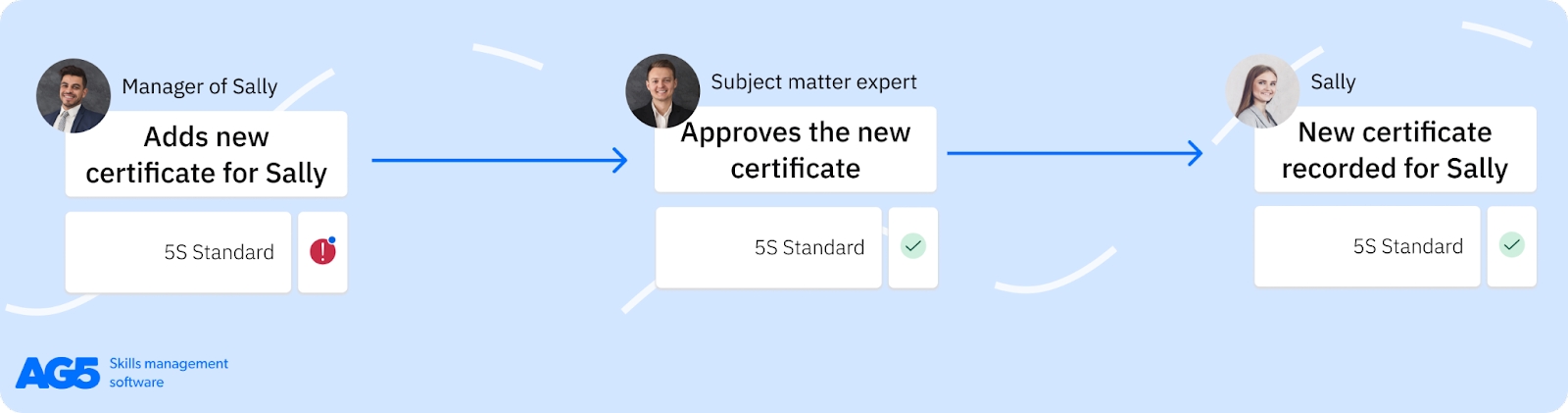
The results approval process has improved to also allow subject matter experts to approve newly achieved results. Now you can select for each qualification an owner that will be responsible to approve achieved results. This owner can be a subject matter expert, trainer, or any other user that is responsible for the approval of results of a specific qualification.
This is an optional process that you can use.
The new approval process:
Read here for more about this feature.
Employees with access to their own skills portfolio are now able now to add multiple results at once via the batch action. By selecting different qualifications from their profile they are able to add multiple results in one batch. The benefit is that employees don’t have to search for multiple qualifications to add multiple results at once. It helps them save them when they need to enter their results.
The employees need to have edit rights to be able to do this.
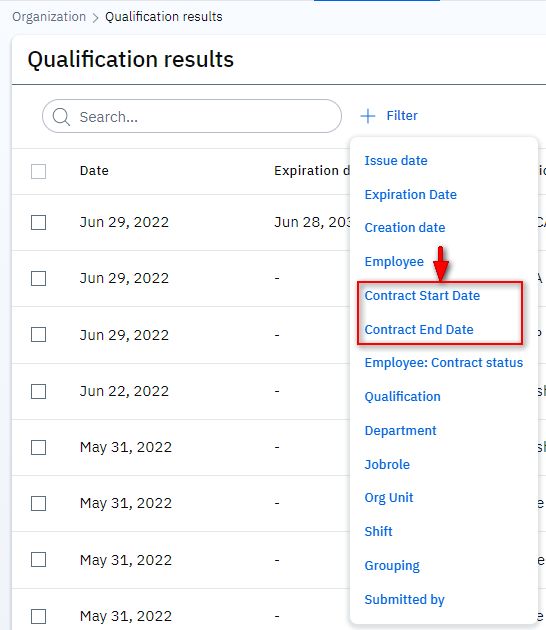
Within our qualification results page, you are able now to filter the results of employees based on their contract period. We have added the start and end contract dates as filter options. This allows managers to generate more accurate exports for their analysis. A small addition to help managers to use less Excel within their analysis.
The following parts of our software are now in the new visual design:
Employee page
Qualification page
Organization page
Expert finder
Alert list
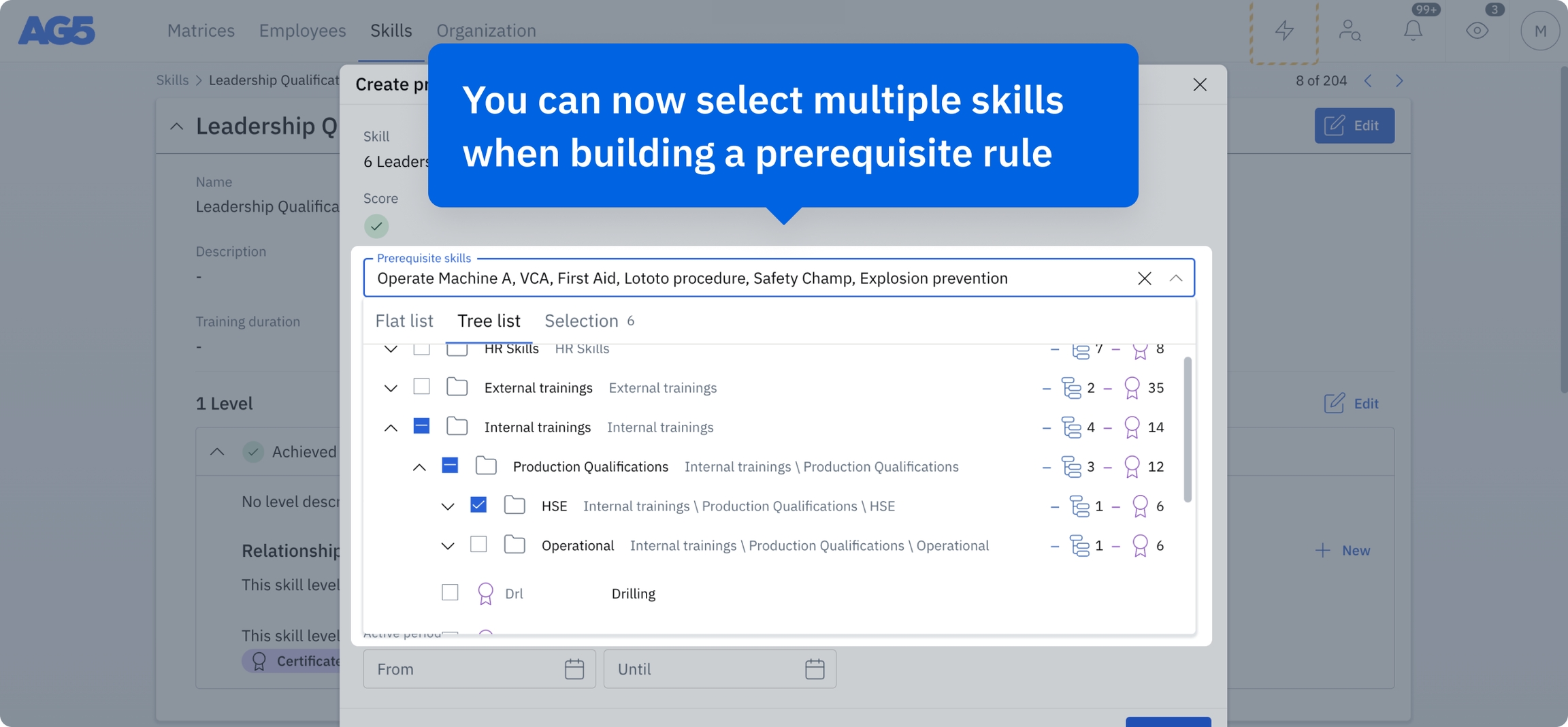
It is now possible to build prerequisite rules by simultaneously selecting multiple skills, then using the category structure to find those you need more quickly. This streamlines the way prerequisites are configured and managed, making it easier to align them with organizational goals – and ensuring that employees meet the necessary criteria before achieving new skills.
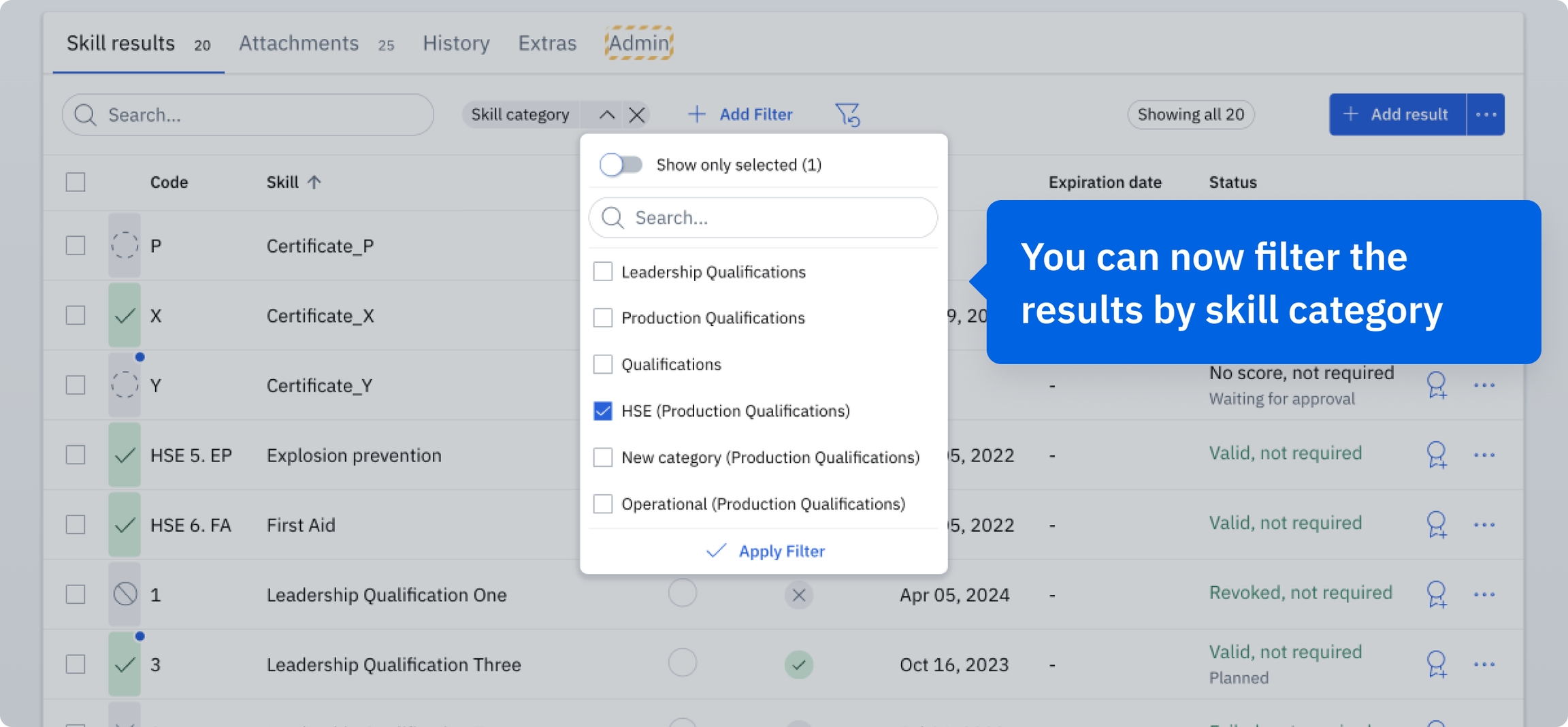
We've added a skill category filter to employee detail pages, enabling users to view skills by category. This simplifies navigation, making it easier to focus on specific areas of interest or development.
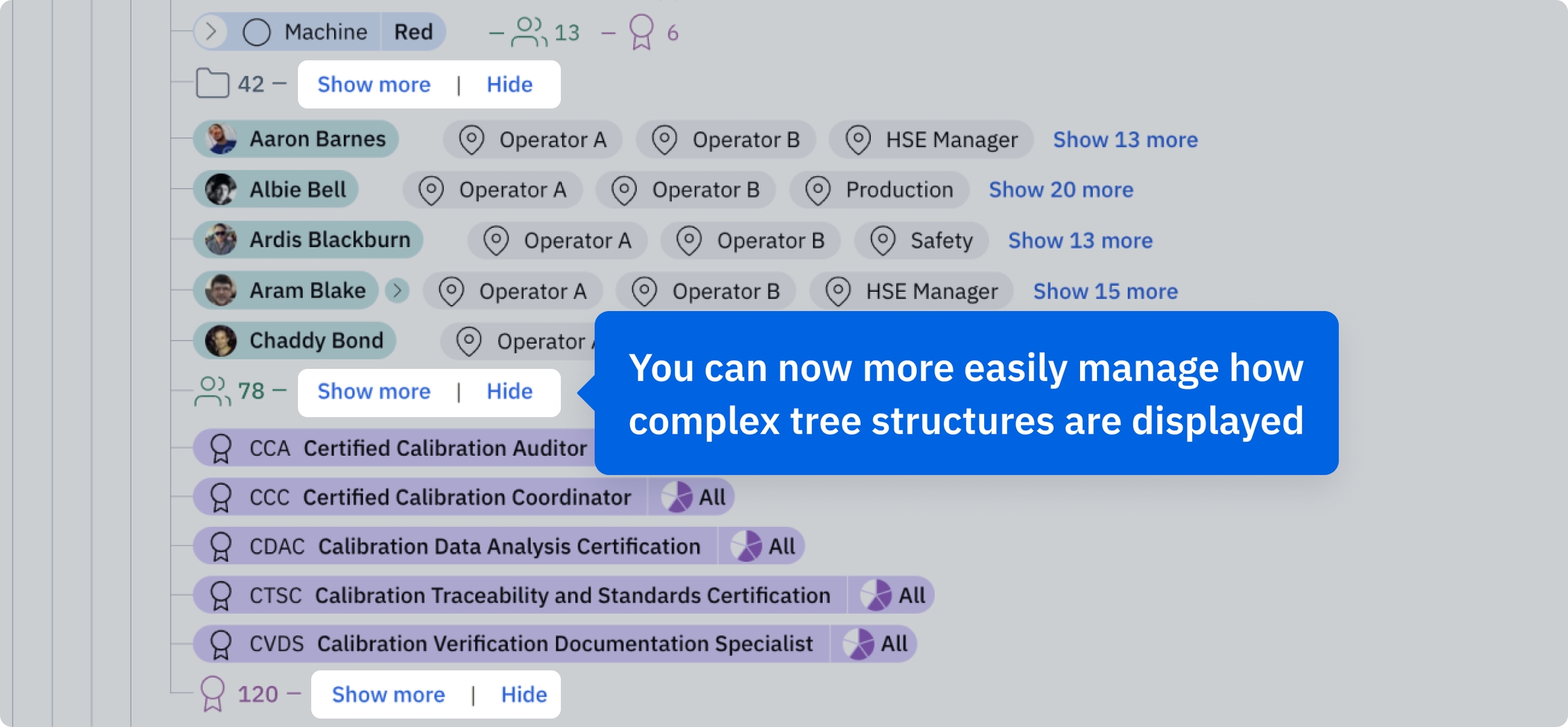
We have enhanced the speed and usability of Organization Structures by implementing “Show more” and “Hide” buttons. These additions help manage the display of complex tree structures, improving load times and the UI.
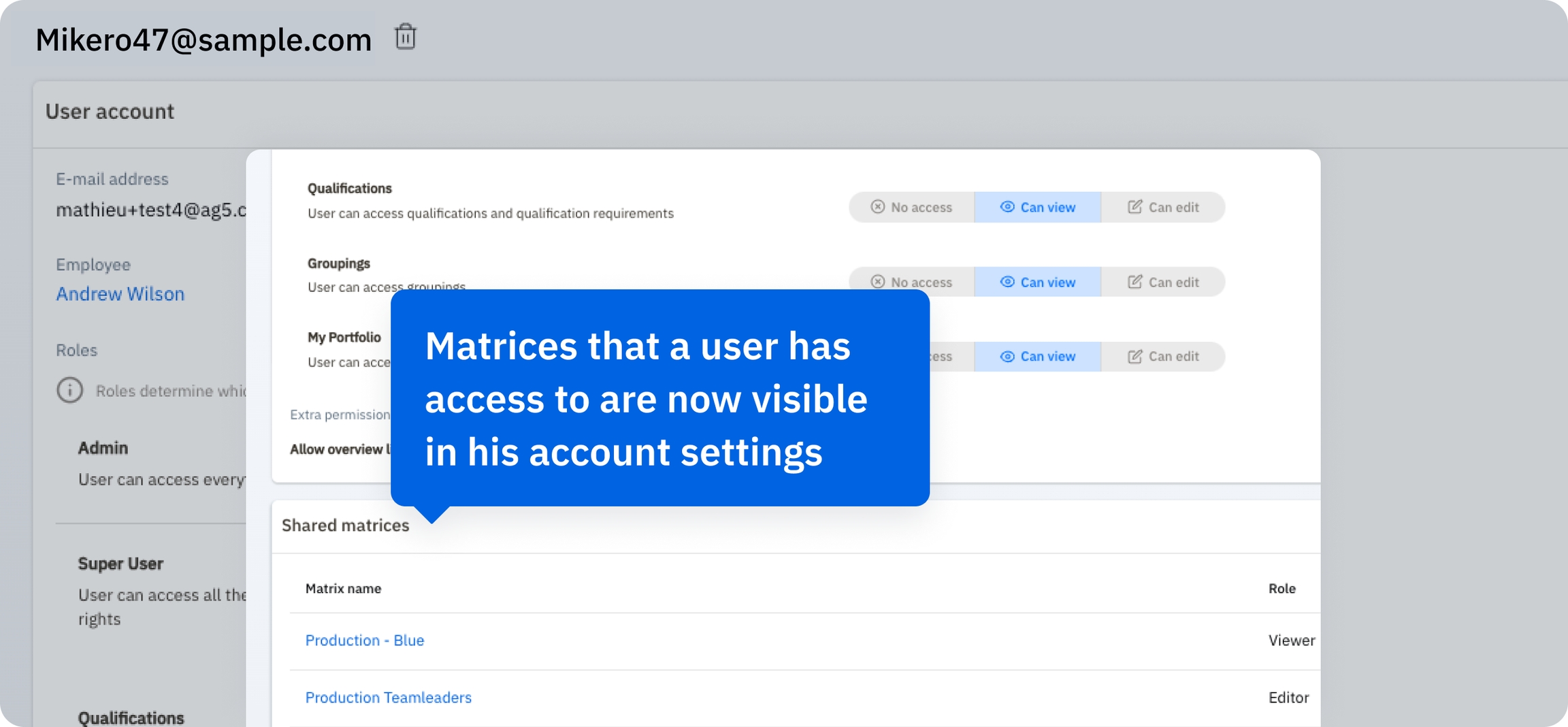
You can now view skills matrices you have directly shared with other users in your User Account settings. This allows you to quickly and easily see and understand who in your organization has access to specific skills matrices. Additionally, you can now filter user accounts based on the matrices they have access to.
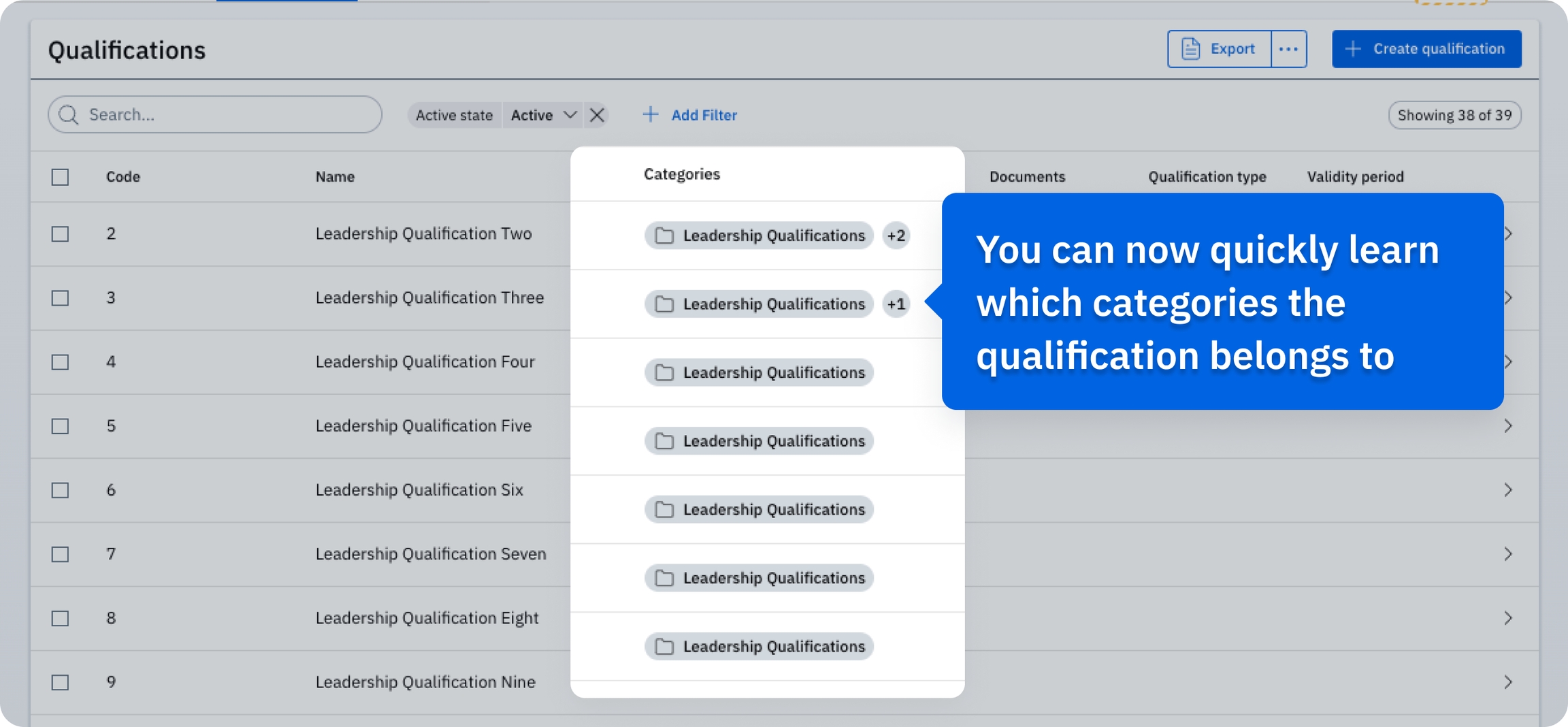
You can now quickly and directly identify the specific category to which a qualification on the Qualification list belongs. This enhances the clarity of and simplifies qualification management.
AG5 now supports the Danish and Norwegian languages, to better cater to our diverse user base. You can change your language preference in the top-right corner of the AG5 interface.
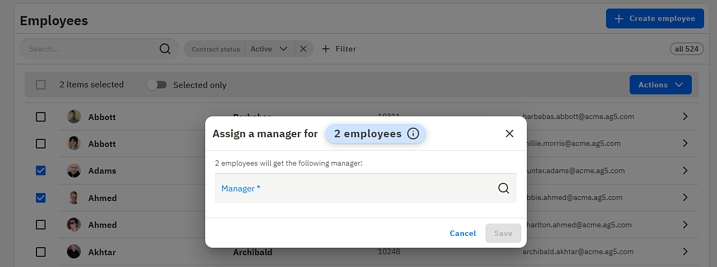
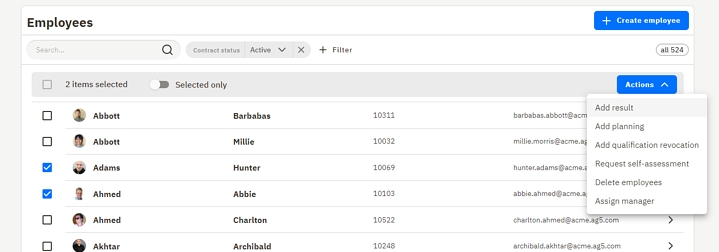
4. Assign a manager to multiple employees - You can assign a manager to multiple employees via batch action. After selecting the multiple employees from the employee tab, you can click on the "action" button, then "assign manager", review the chosen action and save the changes.
1. New online help tool - we are introducing a new, better-structured help article tool with better search capability
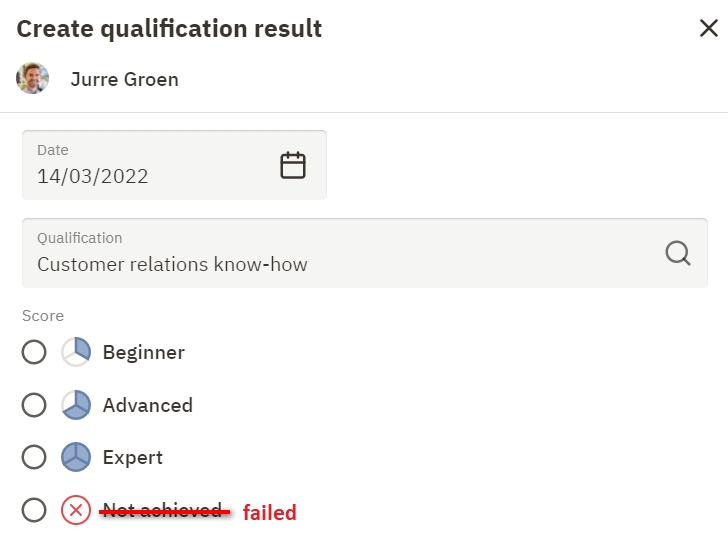
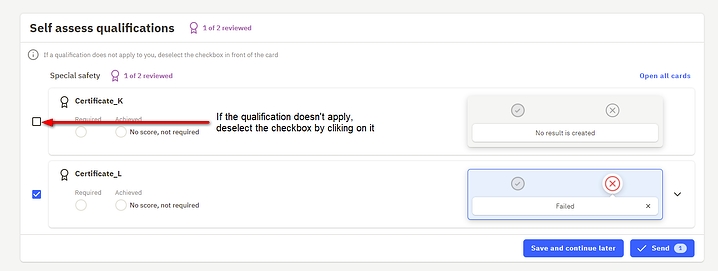
2. The keyboard auto-focus on the first field of the page - when you go to the employee list, the search field is auto-focused. The same applies to other pages as well - expert finder, qualifications, qualification results and etc. 3. Three new languages: Portuguese, Swedish and Spanish 4. Label change: Not achieved > Failed - We have encountered that some users, while doing self assessments, select the score 'not achieved' when they did not acquire the qualification (never trained / never tested). However, if this is the case the user should uncheck the qualification (checkbox in front of the card). AG5 system interprets the score 'Not achieved' as: 'the employee is assessed but failed the test/exam'. This is a big difference with never being tested/trained for this qualification! For this reason, we renamed the score "not achieved" into "failed", so it better reflects what we mean by it.


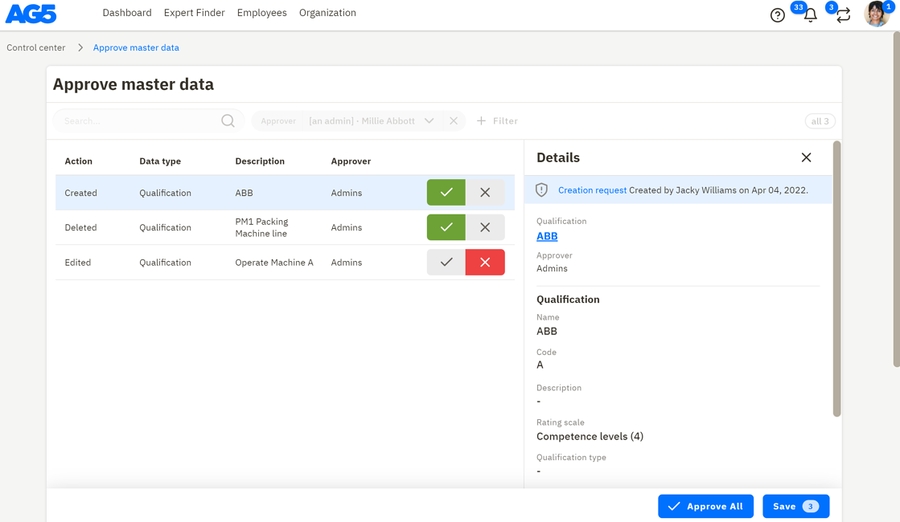
This release is all about Master Data Management (MDM), and more specifically the approval process around creating, editing and deleting master data such as Qualifications and Qualification requirements.
This process enables you to centrally control the quality of your master data while allowing many users, often from different locations, to make changes therein. This is different from the Qualification results approval process, which was already introduced in the summer of 2021. Master data affects a lot more users than qualification results, so it requires special attention.
This feature is currently being tested with a limited number of customers, as soon as the testing phase is finalized we will be able to offer it to everyone interested.
This help article explains this new feature in detail:
1. AG5 Assessment App
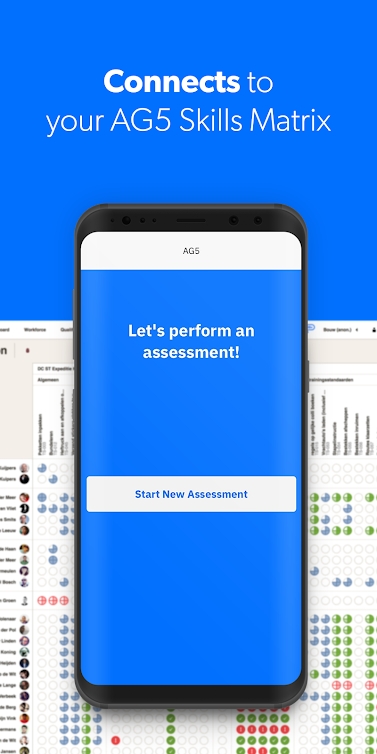
AG5 Assessment makes it quick and easy for team leaders, instructors and evaluators to perform assessments and update team members’ qualification results that are then immediately available for viewing in AG5 Skills Matrix. Using AG5 Assessment App you can update your or your employee's results only in a few simple steps:
select employee, date and qualification
enter a score
add a photo (e.g. a signed document) (optional)
2. Export button in User Account list - now it's possible to export the user account list into an excel file, you can also filter and customize the data before exporting it.
The following updates have been implemented in AG5’s skills management software.
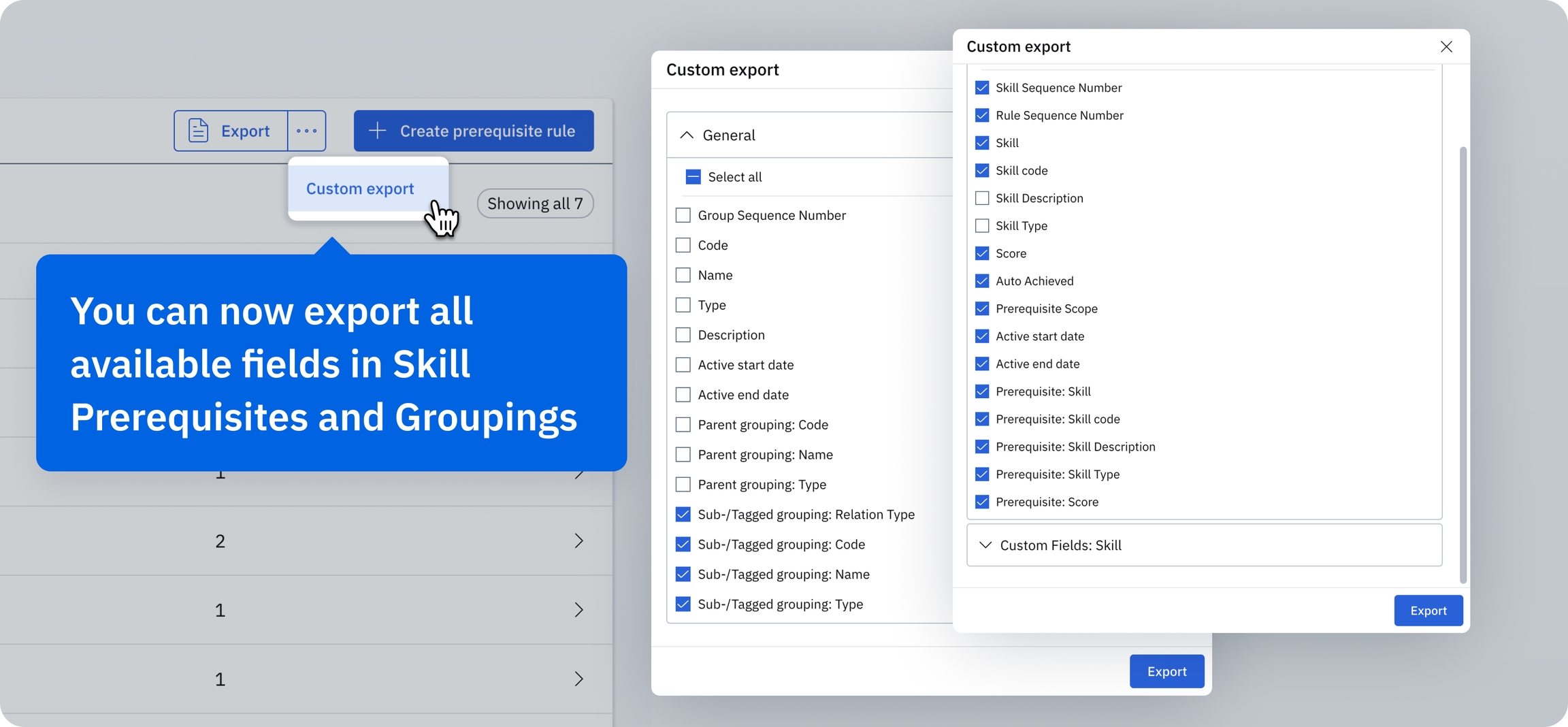
You can now export all available fields in Prerequisites and Groupings, including subgroupings, prerequisites, and related fields. This allows for more comprehensive and detailed data exports, so you can capture the full scope of your configurations and dependencies – and better manage and analyze your data externally.
Our Alert list feature now supports the export of large datasets – up to several hundred thousand rows. This allows you to handle and analyze extensive data sets without affecting performance.
We’ve significantly enhanced performance when managing and navigating large and complex skill prerequisites. This means faster load times and a smoother, more responsive user experience – even for complex prerequisite structures.
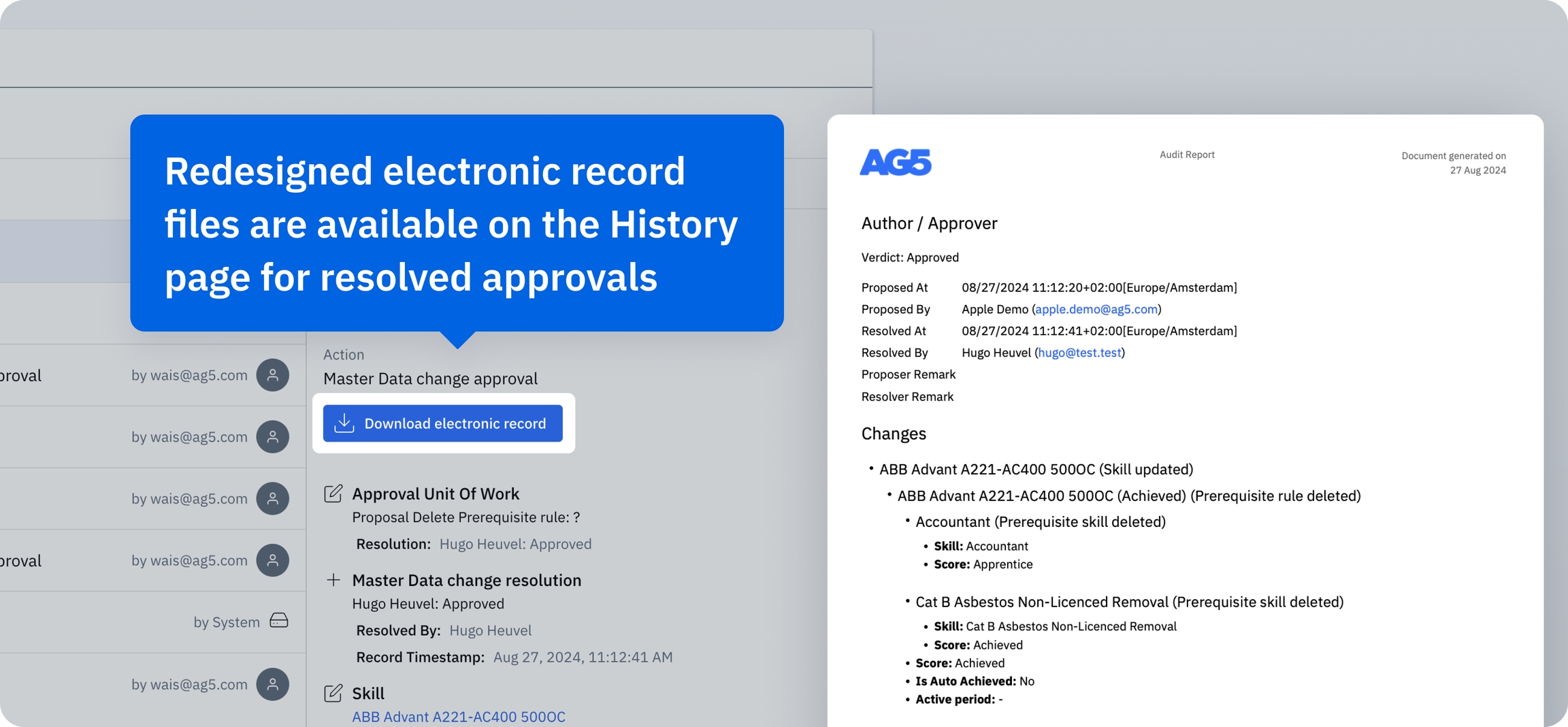
We’ve redesigned electronic record files for resolved approvals. They are available for download from the History page, and now include a new look and additional details. This should enhance the records’ clarity and utility, allowing for better tracking and auditing of approval processes.
We've dedicated significant resources to fixing bugs, especially those affecting approval processes and reauthentication mechanisms. These fixes are part of our commitment to providing a seamless and secure user experience, with fewer interruptions and enhanced security during your daily operations.
and a remark (optional)
Hit "Submit Result" and it automatically updates the AG5 Skills Matrix for all authorized users to see.
We have made below improvements to the Assessment App:
App is now also available for the users who have restricted data access (only have access rights for a subset of employees and/or a subset of qualifications). The Assessment App is now aware of those restrictions and only shows the employees and qualifications for which the app user has edit access.
App is now "approval aware". Since we introduced the Qualification result approval process, sometimes the users submitted the same assessment multiple times, because the app did not return to the "home page" anymore. Now, when an assessment is submitted, the app automatically returns again to the 'home page', so the user knows the assessment is correctly created.
AG5 Assessment App is available on App Store and Google Play.