> For the complete documentation index, see [llms.txt](https://docs.ag5.com/llms.txt). Markdown versions of documentation pages are available by appending `.md` to page URLs; this page is available as [Markdown](https://docs.ag5.com/release-notes/2022-updates/april-release-2-2022.md).
# April Release #2, 2022
|
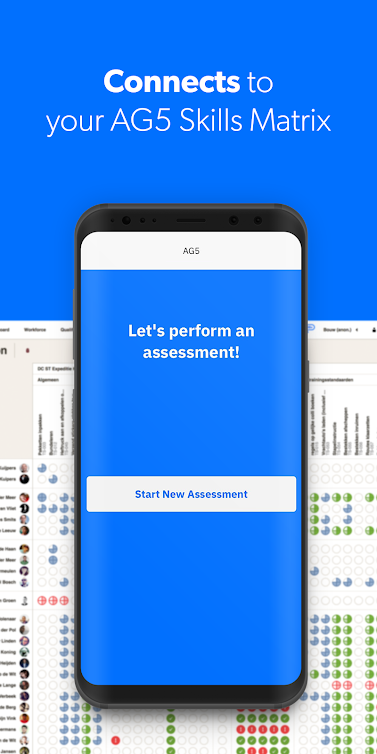
1. AG5 Assessment App
AG5 Assessment makes it quick and easy for team leaders, instructors and evaluators to perform assessments and update team members’ qualification results that are then immediately available for viewing in AG5 Skills Matrix. Using AG5 Assessment App you can update your or your employee's results only in a few simple steps:
- select employee, date and qualification
- enter a score
- add a photo (e.g. a signed document) (optional)
- and a remark (optional)
Hit "Submit Result" and it automatically updates the AG5 Skills Matrix for all authorized users to see.
We have made below improvements to the Assessment App:
- App is now also available for the users who have restricted data access (only have access rights for a subset of employees and/or a subset of qualifications). The Assessment App is now aware of those restrictions and only shows the employees and qualifications for which the app user has edit access.
- App is now "approval aware". Since we introduced the Qualification result approval process, sometimes the users submitted the same assessment multiple times, because the app did not return to the "home page" anymore. Now, when an assessment is submitted, the app automatically returns again to the 'home page', so the user knows the assessment is correctly created.
AG5 Assessment App is available on App Store and Google Play.
|
| ----------------------------------------------------------------------------------------------------------------------------------------------------------------------------------------------------------------------------------------------------------------------------------------------------------------------------------------------------------------------------------------------------------------------------------------------------------------------------------------------------------------------------------------------------------------------------------------------------------------------------------------------------------------------------------------------------------------------------------------------------------------------------------------------------------------------------------------------------------------------------------------------------------------------------------------------------------------------------------------------------------------------------------------------------------------------------------------------------------------------------------------------------------------------------------------------------------------------------------------------------------------------------------------------------------------------------------------------------------------------------------------------------------------------------------------------------------------------------------------------------------------------------------------------------------------------------------------------------------------------------------------------------------------------------------------------------------------------------------------------------------------------------------------------------------------------------------------------------------------------------------------------------------------------------------------------------------------------------------------------------------------------------------------------------------------------------------------------------------------------------------------------------------------------------------------------------------------------------------------------------------------------- |
|
|---|
2. Export button in User Account list - now it's possible to export the user account list into an excel file, you can also filter and customize the data before exporting it. 
|
---
# Agent Instructions
This documentation is published with GitBook. GitBook is the documentation platform designed so that both humans and AI agents can read, navigate, and reason over technical content effectively. Learn more at gitbook.com.
## Querying This Documentation
If you need additional information that is not directly available in this page, you can query the documentation dynamically by asking a question.
Perform an HTTP GET request on the current page URL with the `ask` query parameter, and the optional `goal` query parameter:
```
GET https://docs.ag5.com/release-notes/2022-updates/april-release-2-2022.md?ask=&goal=
```
`ask` is the immediate question: it should be specific, self-contained, and written in natural language.
`goal` is optional and describes the broader end goal you are ultimately trying to accomplish on behalf of the user. GitBook uses it to tailor the answer towards what is most useful for that goal.
The response will contain a direct answer to the question and relevant excerpts and sources from the documentation.
Use this mechanism when the answer is not explicitly present in the current page, you need clarification or additional context, or you want to retrieve related documentation sections.